 Comparison
7 Whiskey Portfolio Software Tools Collectors Should Compare in 2026
Quick Summary
Whiskey portfolio software is an app or web tool that records every bottle you own, what you paid, where it is stored, and how its value changes over time. It replaces handwritten notebooks and messy spreadsheets with one searchable record, and the best options also track tasting notes, wishlists and export options.
- Start by entering your ten most valuable or most-loved bottles, with distillery, age, fill level, price and a label photo.
- Test each app with a few dozen entries before importing your whole collection.
- Check value figures for their date and sample size, since rare bottles with few sales are less reliable.
- Export your data periodically so your records survive if the app changes or shuts down.
- Keep your own receipts and label photos, because app estimates will not replace a formal appraisal for insurance.
Table of Contents
- What Whiskey Portfolio Software Actually Does for a Collection
- Core Features to Look For in Collection Tracking Apps
- Best Whiskey Collection App Options for Different Collectors
- How Whiskey Bottle Value Tracker Tools Estimate Worth
- Spreadsheet Versus Dedicated Software for Your Inventory
- Tasting Notes, Privacy and Keeping Your Data Portable
- Starting Your Digital Collection Record With Bourbon Tracker
- Frequently Asked Questions
What Whiskey Portfolio Software Actually Does for a Collection
Last Updated: November 20, 2026
Whiskey portfolio software for collectors is an app or web tool that records every bottle you own, what you paid, where it is, and how it changes over time.
Most collectors start with a few bottles and a phone note, then hit forty or more within a year.
A good whiskey collection app usually does four things:
- Inventory: It stores each bottle with its distillery, age statement, proof, and fill level.
- Acquisition history: It records where and when you bought each bottle and at what price.
- Notes: It keeps your tasting notes and ratings next to the bottle they describe.
The wishlist is the feature people underrate. A collector in a store can check the app and see instantly whether they already own a bottle, saving money and shelf space.
Core Features to Look For in Collection Tracking Apps
Not every app handles a large collection well, so check the basics before committing your data.
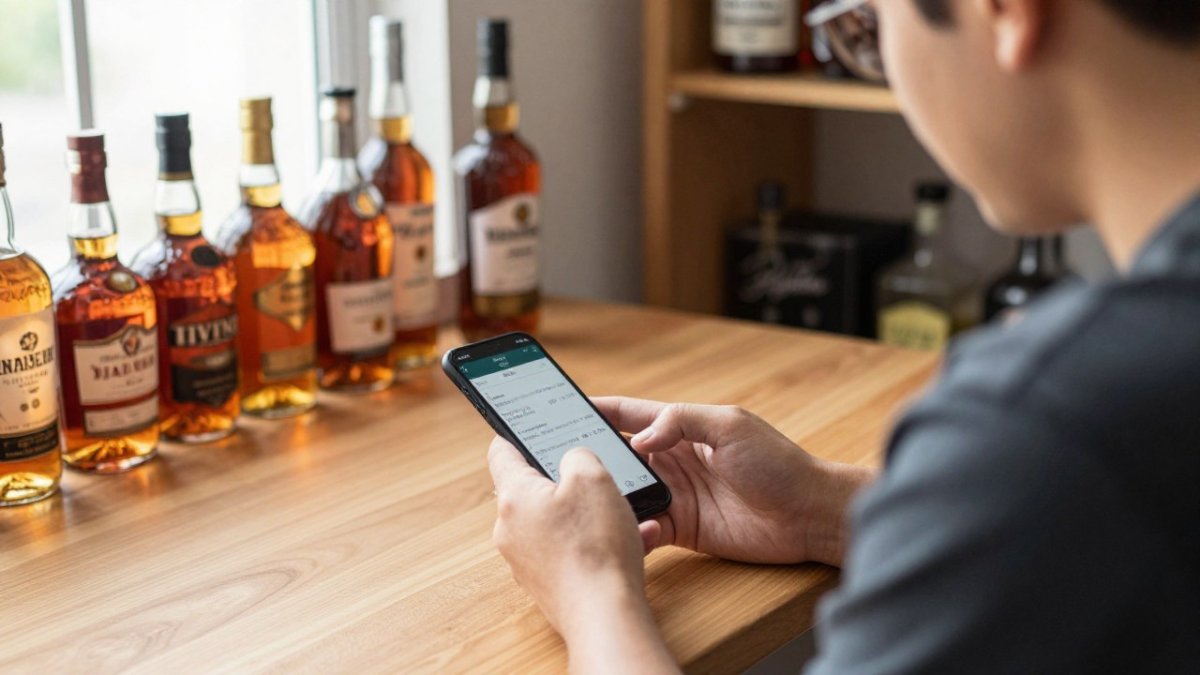
Next, look at how bottles get added. Manual entry is slow; barcode or label scanning cuts time per bottle sharply, which matters most when digitizing an existing collection all at once.
Three other features are worth checking:
- Photos and personal notes for each bottle, including the label and the condition of the seal.
- Export options so you can take your data with you if you switch apps.
- Clear privacy settings that let you keep your collection and wishlist private by default.
A common mistake is choosing an app for its recommendation engine and ignoring whether the inventory tools are usable. Recommendations are useful only after the record itself is accurate.
Best Whiskey Collection App Options for Different Collectors
The right app depends on how you collect, and no single tool wins on every dimension. What follows is a decision framework rather than a ranking, because the features that matter shift with collection size, budget, and whether you care more about market data or tasting notes.
Match the tool to the job
| Collector type | What matters most | What to verify before committing |
|---|---|---|
| Digitizing a large existing collection | Fast bulk entry | Scan a sample of your own bottles; check import from CSV; confirm there is no bottle-count cap on the free tier |
| New collector building a record | Simple, clean logging | Time yourself adding ten bottles; check whether notes and wishlist are free or gated |
| Connoisseur hunting new bottles | Discovery and release alerts | Confirm the alert sources and how often they refresh; check whether alerts are region-aware |
| Social hobbyist | Community | Check default visibility of your collection and whether you can keep it private while still reading others' reviews |
| Mobile-first user | Access anywhere | Test the browser experience on a phone at store shelf; confirm no download is required |
| Investor-minded collector | Valuation and performance | Check estimate dates, data sources, and whether cost basis and realized returns are tracked |
Bourbon Tracker™ is a free platform with no download required. It fits collectors who want to log tasting notes, manage a wishlist, and get AI-powered suggestions tailored to their palate while connecting with a bourbon community. A collector whose priority is deep auction-derived valuation data should verify that capability directly before migrating a large record.
How to test an app before you trust it with your collection
Feature lists are marketing; behavior with your actual bottles is evidence. Run the same small test across two or three apps:
- Scanning accuracy. Scan five bottles, one curved label, one busy design, one older worn label, in every app. Note how many resolve correctly on the first try.
- Catalog coverage. Search for three non-mainstream bottles you own: a store pick, a single-barrel expression, and an older discontinued bottle. If the app cannot find them, you will enter them by hand.
- Valuation consistency. Look up the same three bottles in each app on the same day. Compare figures, dates, and whether the source is disclosed; a wide spread means at least one is working from thin data.
- Search and filtering. Enter a few dozen bottles and filter by distillery, age, proof, and purchase date. Weak filtering is the failure that shows up latest and hurts most.
- Export and exit. Export your test data and open it. An incomplete or unusable export means you are locked in more than the marketing suggests.
Apps strong on community and discovery tend to be weaker on valuation depth, and vice versa. Decide which side of that trade-off your collection needs.
Pricing and plan checks
Pricing and feature tiers change often, so check each app's current plan directly. Look past the headline price at the limits: bottle caps on free tiers, metered scanning, paid value tracking, and whether export is available free. A free tier capping bottles at a low number is not free for a collector with forty bottles.
How Whiskey Bottle Value Tracker Tools Estimate Worth
Value tracking is the part of collection software most people ask about and most misunderstand. A value tracker estimates what a bottle might sell for, based on recorded sales, listings, or user-submitted prices. It is an estimate, not an appraisal, and its accuracy varies enormously from one tool to the next.
Where the numbers actually come from
Most whiskey valuation tools draw on one or more of four sources, and each behaves differently:
- Auction results. Completed hammer prices are the closest thing to a real market clearing price, but they are lumpy: a bottle may sell twice in a year and then not again for eighteen months, and buyer's premium, shipping, and lot composition can make two sales differ widely.
- Retail and secondary listings. Asking prices are plentiful but represent what sellers want, not what buyers paid. A listing that sits unsold for months is a weak signal dressed up as a strong one.
- User-submitted prices. Community-entered prices can fill gaps for rarely traded bottles, but they are unverified, sometimes stale, and occasionally a typo. One fat-fingered entry can move a thinly traded bottle's estimate.
For any bottle you care about, ask how many underlying data points the estimate rests on and how old the most recent one is. If the tool cannot answer that, treat the figure as a rough guide.
Why sparse and stale data distort accuracy
A rare release with few recent sales produces a shaky number: with two or three data points, one outlier sale, a bottle sold in a mixed lot, one with a damaged label, one sold during a hype spike, can drag the estimate well away from what a typical buyer would pay. The same bottle with thirty recent sales across several venues produces a far more stable figure.
Staleness works the same way in time rather than sample size. Allocated bottles can climb after release and then cool off, so an estimate dated eight months ago may describe a market that no longer exists. Check the date on any value figure, and treat a number without a date as a rough guide only.
From bottle value to portfolio performance
A displayed bottle value is not investment performance, and conflating the two is the most common error collectors make with these tools. Performance requires a cost basis and a time dimension. At minimum, track:
- Cost basis, what you actually paid per bottle, including tax, shipping, and any buyer's premium. Retail and secondary purchases have very different bases.
- Unrealized gain or loss, current estimate minus cost basis, for bottles you still hold. This is paper performance and moves with the estimate.
- Realized return, what you received when you sold, minus cost basis and selling fees, shipping, and marketplace commission. This is the only performance number that is not an estimate.
A practical routine: record the purchase price and date for every bottle the day you buy it, note the estimate date whenever you look at a value, and keep a running total of cost basis versus current estimate. That turns a pile of bottle values into something resembling portfolio tracking.
Where app estimates stop and appraisal begins
For insurance, keep your own records too: receipts, photos of the label and seal, fill-level notes, and purchase price. For a walkthrough, see our step-by-step guide to valuing whiskey for insurance.
Watch out: a tool showing a confident single number with no date, no sample size, and no source is giving you a guess with a dollar sign attached, verify it against recent completed sales before relying on it.
Spreadsheet Versus Dedicated Software for Your Inventory
A spreadsheet is free, flexible, and familiar. Many collectors start with one, and a basic template with columns for distillery, age, purchase price, and location works well for a small collection.
The trouble starts around 50 bottles. Spreadsheets do not scan labels, do not link tasting notes to a bottle's history, and do not warn you about a duplicate release.
Dedicated software makes sense once you want scanning, a shared wishlist, automatic value tracking, or phone access at a store. For a fuller comparison of options, see our digital whiskey cellar management guide.
Tasting Notes, Privacy and Keeping Your Data Portable
Tasting notes are personal, and so is your collection list. Before you upload anything, check who can see your wishlist and notes. Many collectors do not want a list of their bottles visible to anyone who finds their profile.
Ask three questions before you commit:
- Are my collection and notes private by default?
- Can I export my full record as a file?
- What happens to my data if the app shuts down?
The third question matters because collection apps have a history of closing or changing direction. Export your data periodically, even if you use a single app, so your records survive any change in the tool.
Bourbon Tracker™ lets you keep tasting notes and reviews organized and manage a personal wishlist. To see how secure whiskey portfolio management software handles your information, read our secure whiskey portfolio software guide. Learn whether digital whiskey tracking is safe in our assessment of digital whiskey tracking security.
Starting Your Digital Collection Record With Bourbon Tracker
Start small. Pick your ten most valuable or most-loved bottles and enter them first.
Next, add your wishlist.
To begin logging your collection, use Bourbon Tracker™ to set up your inventory and wishlist in one place.
Frequently Asked Questions
Is whiskey portfolio software free? Some options offer free tiers, and Bourbon Tracker™ is free to use.
Can these apps handle a large collection? Most can, but check performance with your real bottle count.
How accurate are bottle value estimates? They are estimates based on available data.
Frequently Asked Questions
What is the best app for tracking a whiskey collection?
The best app depends on how many bottles you own and what you need from it. Collectors with large inventories should check how the app handles search, filtering and performance at scale, and whether it stores bottle details such as distillery, age, cask and fill level. Compare free plans against paid tiers, confirm whether photos and tasting notes are included, and test the mobile experience before committing your full collection. Bourbon Tracker is a free option with AI-powered recommendations and community features; check its website for current feature details.
How do whiskey collection apps track bottle value?
Most tools estimate value from market data such as past sales, auction results and retail listings, then display a current estimate and a price history for each bottle. The quality of these estimates depends on how much data sits behind them, how recent it is and how clearly the app explains its method. Treat any single value figure as an estimate rather than an appraisal, and record purchase prices separately so you can measure your own gains or losses over time.
Can I use an app to catalog whiskey bottles and tasting notes?
Yes. A catalog app lets you record each bottle's details, add photos, log purchase records and write tasting notes linked to the specific bottle or pour. Good tools let you search and filter by distillery, proof or rating, so you can find past notes quickly. Keep notes consistent by using the same rating scale every time, and export or back up your records periodically so they remain usable if you change platforms.
Are there free whiskey tracker apps for collectors?
Several whiskey tracker apps offer free tiers, though limits on bottle count, features or history vary. Bourbon Tracker is free to use and requires no download, with tasting notes, a personal wishlist and AI-powered recommendations included. Before relying on any free tool, check whether your data can be exported, how the company handles privacy, and whether the app is likely to remain maintained over the next few years.