 ultimate-guide
Digital Whiskey Cellar Management Guide 2026
Table of Contents
- Why Digital Whiskey Cellar Management Beats Paper Logs
- How to Catalog a Whiskey Collection Step by Step
- Whiskey Inventory Spreadsheet vs App: Which Fits Your Collection
- How to Track Whiskey Tasting Notes Digitally
- The Best Free Whiskey Tracker App 2026: What to Look For
- Data Migration, Smart Home Integration, and Estate Planning
- Conclusion
- Frequently Asked Questions
Last Updated: September 13, 2026
Why Digital Whiskey Cellar Management Beats Paper Logs
Digital whiskey cellar management replaces paper logs with a searchable database tracking every bottle, its drink window, and your tasting notes. Past a few dozen bottles, a paper log stops answering the only questions that matter.
Try finding the bottle you bought in 2021, or the one you meant to open before its maturity horizon passed. A digital ledger can, updating in real time as your collection shifts.
The stakes are higher than most collectors admit. Stored upright in a cool, dark space, sealed spirits hold quality for years, but once a bottle is opened, oxidation begins changing the liquid, according to guidance on storing distilled spirits. A log that flags open bottles and tracks consumption history keeps good whiskey from going flat in the back of a cabinet.
How to Catalog a Whiskey Collection Step by Step
Cataloging a whiskey collection means photographing each label, recording key data points, and assigning every bottle a physical location, about two hours for 50 bottles (peer-reviewed research).
- Clear a staging area. Pull bottles shelf by shelf and wipe each one down.
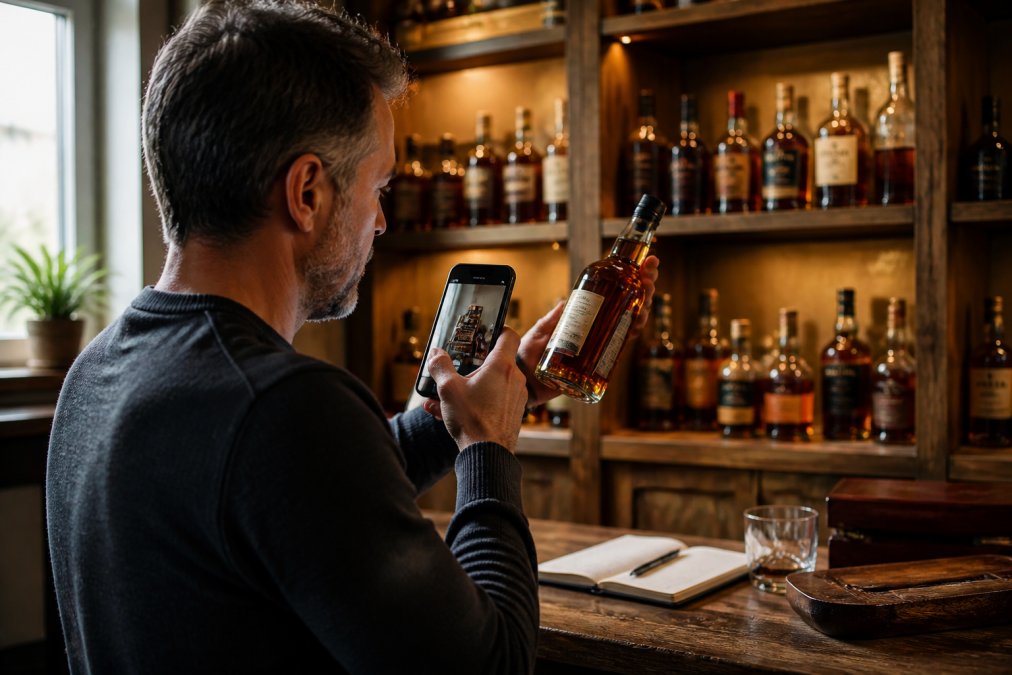
- Photograph and scan. Use label scanning to capture producer, vintage, and proof in one step.
- Record the core fields. Distillery, mash bill if known, age statement, proof, bottle size, and purchase date.
- Assign a bin location. Match each bottle to a shelf and slot, like Rack B, Shelf 2, Slot 4.
- Mark status. Sealed, opened, or reserved for a special occasion.
- Set a drink window. Note the maturity horizon so the app can remind you later.
What to Record for Every Bottle
At minimum, record the producer, expression, proof, bottle size, purchase date, and location. Add barrel number and release year for limited editions, which drive resale value.
Tasting notes belong here too, even a single line. Two years from now, "honey and charred oak, long finish" tells you more than the label could.
Auditing and Organizing Your Physical Racks
A collection audit means reconciling your shelves against your database, then fixing the gaps. Run one twice a year, or any time you move bottles between racks.
The most common mistake is trusting memory over the shelf. Pull every bottle, scan it, and confirm its bin location matches the record; anything unaccounted for gets logged or removed. Rotate open bottles to the front so they get finished first.
Whiskey Inventory Spreadsheet vs App: Which Fits Your Collection
A spreadsheet suits collections under roughly 50 bottles where you enjoy manual control; a dedicated app wins once you want label scanning, drink-window alerts, and automated insights without building formulas (nist.gov).
| Factor | Spreadsheet | Dedicated App |
|---|---|---|
| Setup effort | High, you build it | Low, ready to use |
| Label scanning | None | Built in |
| Drink-window alerts | Manual formulas | Automatic |
| Access on phone | Clunky | Native |
| Best for | Under 50 bottles | Growing collections |
Spreadsheets aren't wrong, they're just labor. Every new feature, a valuation column, a maturity tracker, a tasting log, is another formula you maintain. Apps handle that infrastructure so you spend your time drinking, not debugging.
How to Track Whiskey Tasting Notes Digitally
Tracking tasting notes digitally means logging aroma, palate, and finish for each pour, then tagging the entry so you can compare bottles over time. The payoff is a record of what you actually like, not what reviewers tell you to like.
A simple structure works best:
- Nose: two or three descriptors
- Palate: sweetness, spice, oak, or smoke
- Finish: short, medium, or long
- Score: your own 1-10 rating
Consistency matters more than depth: a short note logged every time beats a paragraph written once. Over a year, those entries become a map of your palate.
The Tagging System That Makes Notes Searchable
Untagged notes are diary entries; tagged notes are a queryable database. A working tag set covers five axes:
- Flavor family: caramel, vanilla, oak, smoke, peat, rye spice, fruit, leather
- Proof band: under 90, 90-110, cask strength
- Mash bill: high-rye, wheated, traditional corn
- Occasion: daily pour, guests, special occasion, cooking
- Verdict: buy again, pass, trade bait
With those tags, you can answer questions a paper log never could: Which high-rye bottles under 100 proof scored above 8? Which wheated pours rated lower than expected? Which bottles are tagged 'pass' but still sit sealed?
Comparing Pours Side by Side
The real advantage of digital notes is the head-to-head comparison. Open two bottles of the same expression from different years, log them in the same session, and tag both with a shared label like "2026 vertical." Six months later, that tag pulls both entries up together so you can see whether your palate shifted or the whiskey did.
A common pattern is the blind re-taste: pour the same bottle you scored a year ago, log a fresh entry, and let the app show both scores side by side. A two-point move tells you more about your palate than any single note.
What to Do With a Year of Notes
After twelve months of consistent logging, your notes stop being a record and start being a tool. Sort by score to find your true top ten, usually not your most expensive ten. Sort by 'buy again' to build a restock list, and by 'pass' to find bottles worth trading or gifting.
That is the difference between a notebook and a database. A notebook stores what you wrote; a tagged digital log tells you what to buy next, what to open now, and what your palate rewards.
The Best Free Whiskey Tracker App 2026: What to Look For
The best free whiskey tracker app in 2026 handles label scanning, drink windows, and collection valuation without charging you to unlock your own data. Free should mean free, not a trial that expires after hours of data entry.
Here's what separates a keeper from an app you'll abandon:
- No download required: browser-based tools work on any device instantly
- Label scanning and AI recognition: cuts data entry to seconds per bottle
- Drink-window tracking: flags bottles approaching their maturity horizon
- Format tracking: handles 750ml, 375ml, and 50ml bottles without breaking
- Data portability: lets you export your collection if you leave
- Real community: shared reviews and wishlists, not a dead feed
Bourbon Tracker™ was built around these priorities: free to use, no download required, with AI-powered recommendations and integrated community features, the difference between a tool you keep and one you delete.
Label Scanning, AI Recognition, and Drink Windows
Label scanning uses your phone camera to read a bottle's label and auto-fill the producer, expression, and proof, eliminating most manual data entry. AI recognition identifies the bottle even at an angle, then suggests where it fits in your collection.
Drink windows are the feature most collectors undervalue. A maturity horizon tells you when a bottle is at its best, and automated insights flag the ones to open soon. Skip this and you'll eventually pour a whiskey that peaked two years ago.
Data Migration, Smart Home Integration, and Estate Planning
Three capabilities separate a serious collection platform from a basic list: data migration, smart home integration, and estate planning support. They decide whether your database survives a move, a renovation, or your own absence.
Data Migration and Portability
Data migration means moving your collection between tools without retyping 200 bottles. The mechanics matter more than the marketing.
Before you commit to any platform, run this test:
- Export a sample. Log ten bottles, then export. You want a plain CSV or JSON file, not a PDF and not a screenshot.
- Open the file. Every field you entered, distillery, expression, proof, bottle size, purchase date, bin location, status, notes, should appear as its own column. If fields are merged into one text blob, the export is cosmetic.
- Re-import it. Import the file back into a fresh account. Confirm the fields land in the right places and nothing gets truncated.
- Check the edge cases. Do 375ml and 50ml bottles survive the round trip? Do open bottles keep their status? Do notes with line breaks stay intact?
Free tools often export only the fields they consider core, dropping tasting notes or purchase prices. If your notes are the most valuable part of the database, verify that field first.
Keep a dated export on your own drive once a year. That habit protects you against a service shutting down, changing its free tier, or losing your account.
Smart Home Integration
Smart home integration connects your cellar records to the actual conditions in the room. The goal is catching the storage problems that quietly ruin bottles.
A practical setup looks like this:
- Temperature and humidity sensors placed in each storage zone, not just one per room. A basement corner and a closet two feet away can run several degrees apart.
- A hub or app that logs readings over time, so you can see a summer spike rather than just today's number.
- Alerts tied to thresholds. Most collectors set a high-temperature alert and a low-humidity alert; the specific numbers depend on your storage, but the point is to be notified before a heat wave, not after.
- Zone labels that match your bin locations. If your database says Rack C, your sensor should say Rack C too, so a warm reading points to specific bottles.
The payoff is a record pairing your inventory with real storage history. When you sell or insure a bottle, a log showing it sat in a stable, monitored zone is worth more than a claim that it did.
Estate Planning and Valuation
Estate planning turns your ledger into a document your family can use. An executor, heir, or insurance adjuster will ask three questions: what is here, what is it worth, and where did it come from. A well-kept database answers all three.
Build the record so it stands on its own:
- Provenance fields. Purchase date, purchase price, retailer or source, and any receipt or auction record. A bottle with a documented purchase history is easier to value than one with a guess.
- Current valuation notes. Update a rough market value once a year. You do not need an appraisal for every bottle, a dated estimate for the collection as a whole is enough for most purposes.
- Condition and status. Sealed, opened, fill level, and any visible damage. Condition drives value more than age for most spirits.
- A dated export stored with your other important documents. This is the step most collectors skip. An export sitting only inside an app is not an estate document; an export in a folder with your will and insurance papers is.
If your collection is large enough to insure separately, ask your insurer what documentation they want before you need it. Most accept a structured inventory with purchase records and current values, exactly what a good database produces.
Conclusion
Building a whiskey cellar you can manage takes more than shelves and a notebook. It takes a system that tracks drink windows, keeps tasting notes searchable, and tells you what to open next.
Bourbon Tracker™ handles that work for free. Log tasting notes, scan labels, curate a wishlist, and get AI-powered recommendations tuned to your palate, all in a browser with no download required. Get started with Bourbon Tracker™ and turn your collection into a database you'll use.
Frequently Asked Questions
What is the best way to track a whiskey collection?
The best method combines a dedicated digital tool with a consistent routine. Log each bottle when you buy it, record the producer, vintage, and purchase date, then update tasting notes after each pour. Digital whiskey cellar management apps handle this faster than paper because they support label scanning, automated categorization, and real-time updates. A spreadsheet works for collections under 50 bottles, but apps scale better once you pass 100.
Do I need specialized software to manage my whiskey cellar?
No, but specialized tools save time. A basic spreadsheet can track bottle names and purchase dates, yet it cannot scan labels, suggest drinking windows, or sync across devices. Dedicated platforms handle bottle tracking, drink window alerts, and collection valuation without manual data entry. If your collection is growing or you want automated insights, a purpose-built tracker is worth the switch.
How do digital whiskey trackers help with tasting notes?
Digital trackers let you log tasting notes immediately after a pour, tag flavors consistently, and compare notes across bottles from the same producer or vintage. You can search by flavor profile, see how your palate changes over time, and share reviews with a community. This turns scattered impressions into a searchable consumption history that guides future purchases.
Is it worth digitizing my whiskey inventory?
Yes, especially if you own more than 50 bottles. Digitizing gives you a searchable digital ledger, real-time updates, and automated insights about maturity horizons and stock rotation. It also protects your collection data if you move, sell, or pass bottles to heirs. Manual logs get lost, damaged, or outdated; a cloud-synced inventory stays current and portable.
How do I organize my whiskey bottles for easy access?
Start with a bin system: group bottles by category (bourbon, rye, scotch, Irish) and assign each bin a number or letter. Record the bin location in your digital tracker so you can find any bottle in seconds. Keep daily drinkers at eye level and long-term agers in stable temperature zones away from light. A collection audit every six months keeps the system accurate.
Can AI-powered tools help me discover new whiskeys for my collection?
AI recommendations analyze your tasting notes, ratings, and wishlist to suggest bottles that match your palate. Unlike generic best-seller lists, these suggestions pull from your consumption history and flavor preferences. Bourbon Tracker, for example, uses AI-powered categorization to recommend bottles based on what you already enjoy, which helps you explore new producers without wasting money on bottles that do not fit your taste.