 how-to
How to Build a Digital Whiskey Cellar Log That Actually Works
Last Updated: November 8, 2026
Quick Summary
Build a whiskey cellar log by picking one tool, defining your bottle fields before you log anything, and recording each bottle the day you bring it home. Log purchase date, price, source, status, and fill level, then update fill level with every pour. Add backups with scheduled CSV exports so the log survives for years.
- Paper notebooks work for under 15 bottles; a dedicated tracker suits collections of 20 or more.
- Define fields like Bottle ID, proof, status, and fill level before logging your first bottle.
- Use picklists for status, region, and bottle size so filters don't split on typos.
- Track tasting notes with the same aroma, palate, finish structure and a fixed rating scale.
- Export your bottle list as CSV monthly and copy exports to a second location quarterly.
Table of Contents
- Why a Digital Whiskey Cellar Log Beats a Paper Notebook
- Step 1: Pick Your Tool, From Whiskey Inventory Spreadsheet Template to App
- Step 2: Set Up Your Bottle Fields Before You Log a Single Bottle
- Step 3: Log Each Bottle, From Distillery to Fill Level
- How to Track Whiskey Tasting Notes Consistently
- Step 4: Organize, Search, and Sort Your Collection
- What the Best Free Whiskey Tracker App 2026 Should Do for You
- Backups, Privacy, and Keeping Your Log Alive for Years
- Frequently Asked Questions
Why a Digital Whiskey Cellar Log Beats a Paper Notebook
A whiskey cellar log is a running record of every bottle you own or have owned, paired with the details that make each one worth remembering.
Paper notebooks feel romantic. They also fail at the exact moment you need them.
- You can't search a notebook for "cask strength rye under 110 proof."
- Ink smudges when a pour spills.
- Pages run out, and the order gets scrambled.
- You can't back up a spiral-bound book if the shelf floods.
A digital log fixes all four problems. You can filter by distillery, sort by open date, and see what's running low before you pour.
The catch? Most people start a log, add ten bottles, and quit. The setup was wrong from day one.
Step 1: Pick Your Tool, From Whiskey Inventory Spreadsheet Template to App
The right tool depends on how many bottles you keep and how much detail you want. There's no single winner, so match the tool to your habits.
Spreadsheet vs. paper vs. dedicated tracker
A whiskey inventory spreadsheet template is the cheapest starting point. You get full control over columns, and you can export everything.
Paper is fine for a dozen bottles. Past that, it becomes a filing problem.
A dedicated tracker can handle much of the busywork for you. You can track your bourbon collection with AI label scanning, allocation drop alerts, and a release calendar.
| Tool | Setup Effort | Best For | Weak Spot |
|---|---|---|---|
| Paper notebook | None | Under 15 bottles | No search, no backup |
| Spreadsheet template | Medium | Tinkerers who want custom fields | Manual entry only |
| Dedicated tracker | Low | Collections of 20+ bottles | Depends on the platform lasting |
If you'd rather skip the app entirely, we cover tracking a collection without a download in a separate guide. Either way, pick one tool and commit.
Step 2: Set Up Your Bottle Fields Before You Log a Single Bottle
Decide your fields first. Adding columns after you've logged 40 bottles is a headache, and you'll skip the backfill.
Here is a reusable bottle-log schema you can copy field-for-field into a spreadsheet or map to your tracker.
| Field | Data type | Example value | Required? | Notes |
|---|---|---|---|---|
| Bottle ID | Auto number or text | BT-0042 | Yes | A unique key so two bottles of the same expression never collide |
| Bottle name | Text | Eagle Rare 10 Year | Yes | Distillery plus expression, spelled the way the label spells it |
| Distillery | Text | Buffalo Trace | Yes | Keep one spelling per distillery so filters don't split |
| Region | Picklist | Kentucky, Tennessee, Scotland, Ireland, Japan | Yes | Picklist beats free text for sorting |
| Age statement | Number or "NAS" | 10, or NAS | Yes | Use NAS when no age is stated; don't leave it blank |
| Proof | Number | 90 | Yes | Enter proof, not ABV, and convert once at entry |
| ABV | Calculated | 45.0% | Optional | Proof ÷ 2 gives ABV; let the sheet calculate it |
| Bottle size | Picklist | 750 mL, 1 L, 375 mL | Yes | Matters for value-per-ounce math later |
| Purchase date | Date | 2026-03-14 | Yes | Use one date format across the whole log |
| Purchase price | Currency | $54.99 | Yes | Pre-tax or post-tax, but pick one and stay consistent |
| Retailer or source | Text | Local liquor store, gift, trade | Yes | This is how you learn which sources actually deliver |
| Status | Picklist | Sealed, Open, Finished | Yes | Drives every "what's open" view |
| Fill level | Percentage | 70% | Yes once opened | A rough slider or percentage is enough |
| Open date | Date | 2026-04-02 | Optional | Useful for oxidation tracking |
| Tasting notes | Long text | Aroma, palate, finish | Optional | Use the same three-part structure every time |
| Rating | Number | 4 of 5 | Optional | Fix the scale and never change it mid-log |
| Storage location | Text | Basement shelf B, row 2 | Optional | Saves hunting when a bottle is buried |
| Receipt or photo | File link | receipt-0042.jpg | Optional | Attach a photo of the receipt at purchase |
A few rules make the schema hold up over years:
- One value per field. Don't type "Kentucky / Bourbon" into Region. Split concepts into separate fields so filters work.
- Picklists over free text. Status, region, and bottle size should be chosen from a list, not typed, or you'll end up with "Open," "open," and "Opened" as three different values.
- Dates in one format. Pick ISO (2026-03-14) or the U.S. format (03/14/2026) and never mix them, or sorting breaks.
- Currency in USD, one convention. Record what you actually paid in dollars, and note whether tax is included in a separate column if it matters to you.
That's your reusable template. Copy it into a spreadsheet or map it to your tracker's fields. A common mistake is logging only the name and price.
Step 3: Log Each Bottle, From Distillery to Fill Level
Log each bottle the day you bring it home. Waiting until the weekend means a pile of bags and a guessing game.
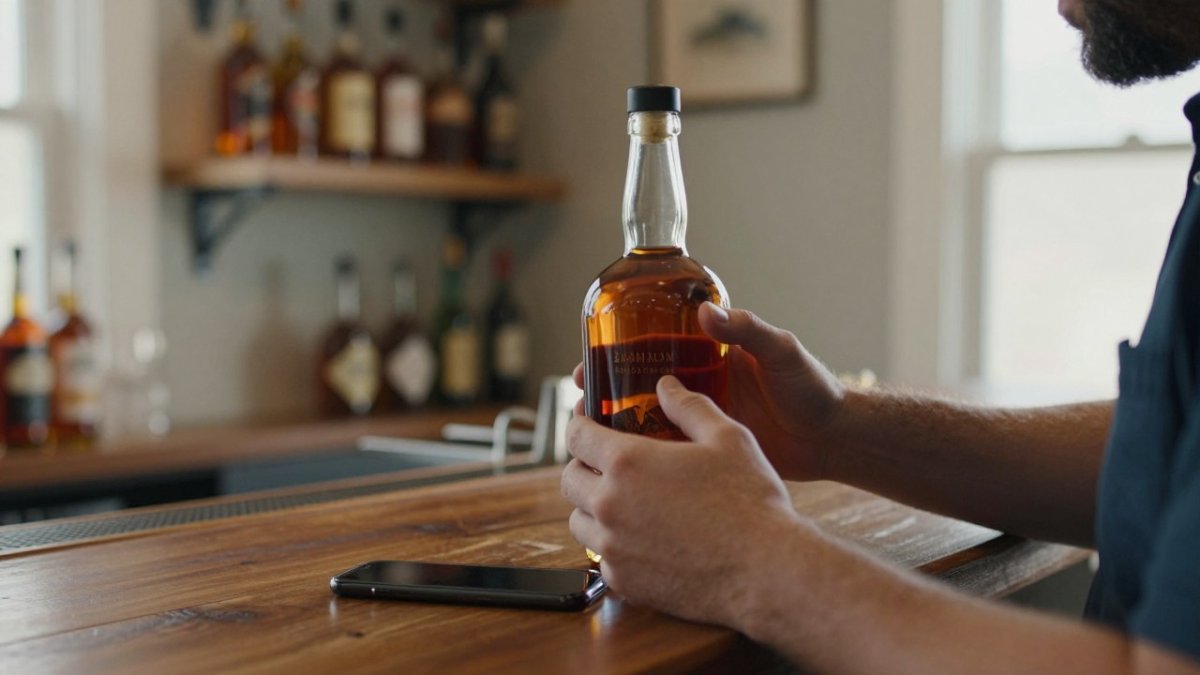
The man is American.
Scan the barcode if your tool supports it. If not, type the distillery and expression, then confirm the proof and size against the label. Small errors compound, so check as you go.
Purchase date, price, and source details
Record the purchase date, what you paid, and where it came from. This matters more than people think. It helps you spot which retailers actually get allocated bottles, and it gives you a paper trail if you ever need to value the collection.
Tracking pours and remaining volume
Update the fill level each time you pour. A simple slider or a rough percentage works. This is how you learn your own drinking patterns and spot bottles worth replacing before they're gone. Watch out: if you only update fill levels "when you remember," the numbers drift and stop being useful. Make it part of the pour, not a separate chore.
How to Track Whiskey Tasting Notes Consistently
Consistency beats poetry. Use the same three-part structure every time: aroma, palate, finish.
- Aroma: what hits first, and how strong
- Palate: texture, sweetness, spice, heat
- Finish: how long it lingers and what it leaves behind
Add a numeric rating on a fixed scale, say 1 to 5 or 1 to 10, and stick to it. We walk through the full method in our guide on how to track bourbon tasting notes.
A tasting journal only pays off if the notes are comparable. Same structure, same scale, every bottle.
Step 4: Organize, Search, and Sort Your Collection
A log you can't search is just a list. Set up filtering and sorting so you can answer real questions fast.
Useful views to build:
- Open bottles sorted by fill level, so nothing oxidizes forgotten
- Sealed bottles by distillery, for gifting and trades
- Wishlist by proof range, to guide your next buy
- Price paid by retailer, to see where your money goes
This is where a digital cellar pulls ahead of paper. Ask "which open bottles are under half full?" and get an answer in seconds. That single view changes how you drink through your shelf.
What the Best Free Whiskey Tracker App 2026 Should Do for You
The best free whiskey tracker app 2026 should cover the basics without a paywall: bottle logging, tasting notes, a wishlist, and search. If it can't do those four things for free, it isn't the right pick.
Here's the checklist we'd run any tracker through:
- Log a bottle quickly
- Record tasting notes and a rating
- Track fill level and bottle status
- Search and filter the whole collection
Bourbon Tracker™ is free to use and runs in your browser with no download. For a full ranked list, see our roundup of the best free whiskey tracker apps.
Backups, Privacy, and Keeping Your Log Alive for Years
A log is only as good as its backup. Apps shut down. Accounts get lost. If your collection data lives in one place with no export, you're one outage from starting over. The collectors who keep a log for a decade are the ones who treat it like any other important file: exported, copied, and stored in more than one place.
Export on a schedule, not when you remember
Pick a cadence and put it on the calendar. A monthly export is enough for most collectors; a quarterly export is the minimum. Export in a format you can open without the app: CSV for the bottle list, and a plain text or PDF copy of tasting notes. CSV opens in any spreadsheet, which means your data survives even if the tracker doesn't.
A simple backup routine:
- Monthly: export the bottle list as CSV and the tasting notes as text or PDF.
- Quarterly: copy those exports to a second location, such as cloud storage or an external drive.
- Annually: open the oldest export and confirm it still reads correctly. A backup you've never opened is a guess, not a backup.
Keep a second copy outside the app
Keep one folder with dated exports (for example, whiskey-log-2026-11.csv) so you can roll back to an earlier version if a bulk edit goes wrong. If you keep a paper notebook as a secondary record, photograph the pages quarterly and store the images with the exports.
Decide what's public before you log sensitive details
Before you log sensitive details such as purchase price, retailer, and storage location, decide which fields you are comfortable sharing, and keep private details in your own records if you prefer.
Watch out: if an app offers no export at all, treat it as a temporary tool. Log the minimum there and keep the authoritative record in a spreadsheet you control.
Plan for the app closing
Apps change ownership, change pricing, or shut down. The defense is portability: if you can export your full log as CSV plus notes, you can move to a spreadsheet or another tracker in an afternoon.
If you're weighing a digital log against paper for privacy reasons, our guide on whether digital whiskey tracking is secure covers the tradeoffs in detail.
Frequently Asked Questions
What should I include in a whiskey cellar log?
At minimum, record the distillery, expression, age statement, proof, and bottle size, plus the purchase date, price, and retailer. Add a bottle opening date and fill level so you can track pours over time. Tasting notes for aroma, palate, and finish turn the log into a reference you can actually use when deciding what to buy next. A consistent set of fields matters more than a long one.
Is it better to use a spreadsheet or a whiskey tracking app?
A whiskey inventory spreadsheet template works well for a small collection and gives you full control of the data, including Excel export. A dedicated tracker handles search, sorting, fill levels, and tasting notes in one place, and Bourbon Tracker is free to use with no download required.
How do I track the value of my whiskey collection?
Log the purchase price and date for every bottle, then note the current retail or secondary value when you review the collection each year. Keep receipts or order confirmations in a folder tied to the log. Update values annually rather than guessing in the moment.
Can I use a digital log to track tasting notes?
Yes, and it is the main reason to keep a whiskey cellar log at all. Score aroma, palate, and finish on a fixed scale, and write a few concrete descriptors instead of vague impressions. Note the bottle opening date and how long the whiskey sat in the glass. Revisit the same bottle months later and compare scores; that history shows how a bottle changed and helps you spot the flavor profiles you actually reach for.