 how-to
Privacy Settings for Whiskey Collector Social Networks
Table of Contents
- Why Privacy Matters for Whiskey Collectors
- Adjusting Social Media Privacy Settings on Collector Platforms
- How to Protect Personal Information on Social Media
- Hide Personal Information on Social Media: A Collector's Approach
- Privacy Settings Checklist for Whiskey Collectors
- Safe Sharing and Trading Practices
- Review Your Settings Regularly
- Frequently Asked Questions
Last Updated: October 20, 2026
Why Privacy Matters for Whiskey Collectors
Your collection represents your investment, taste, and identity within a passionate community, and sharing it exposes valuable information that could attract unwanted attention.
Whiskey collectors face unique risks: collection details, bottle values, rarity, and location can make you a target for theft or social engineering scams.
Most platforms offer strong controls, you just need to know how to use them. Bourbon Tracker™ helps collectors organize and share safely.
Adjusting Social Media Privacy Settings on Collector Platforms
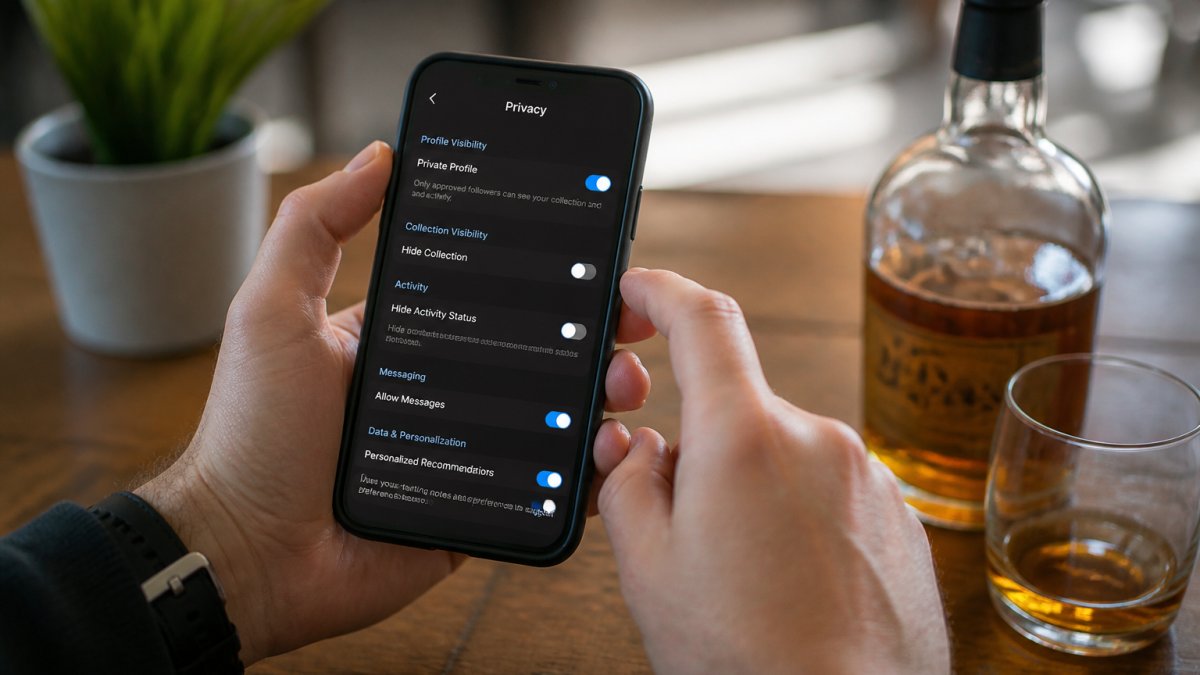
Most collector platforms offer privacy controls in account settings, but finding them is the challenge. Generic social-media advice won't help, because collector platforms fall into three very different buckets, each hiding its controls in a different place.
Know which kind of platform you're on
Before you touch a single toggle, identify the platform type. The privacy levers are not the same across them.
- General social networks (Facebook, Instagram, X). Broad reach, weak hobby-specific controls, and the highest exposure risk because your posts can be reshared outside the collector community.
- Hobby forums and message boards. Often public by default and indexed by search engines. Privacy usually lives in profile fields and signature blocks, not in post visibility.
- Collection-tracking and tasting apps. These are built around inventory, so the sensitive data is your bottle list, purchase records, and valuation notes, not your profile photo.
A setting that protects you on one type does nothing on another. Audit each platform against its own model.
Step 1: Secure your profile visibility
Your profile is the first line of defense. Start here:
- Make your profile private by default
- Require approval before anyone can follow you
- Hide your profile from search engines
On Facebook, the relevant controls live under Settings & privacy → Settings → Audience and visibility, where you can set "Who can see your future posts" and limit past posts in one action. On Instagram, switch on Private account under Settings → Account privacy, which also removes your posts from Explore and hashtag pages.
When your profile is private, only approved followers can see your collection, stopping strangers from stumbling across your bottles, and cutting unwanted contact significantly.
Step 2: Manage your audience and sharing controls
Not all followers need to see everything. Most platforms let you create audience groups or control sharing at the post level, but the mechanics differ enough that you need to know each one.
- Facebook: Use Friends lists (Close Friends, Acquaintances, Restricted) and the post-audience selector. "Friends except…" lets you hide a single post from specific people without unfriending them. Check Settings → Audience and visibility → How people can find and contact you to limit friend requests and message requests.
- Instagram: Use Close Friends for Stories, and the Hide Story and Live from list for specific accounts. Turn off "Share to other apps" and review Settings → Sharing and reuse so your posts aren't automatically cross-posted.
- X: Protect your posts under Settings → Privacy and safety → Audience and tagging, which makes your account private and requires approval for new followers. Note that protected posts can still be screenshotted by approved followers.
Segment your audience: close collector friends might see your entire collection, casual followers only your general interests, and new connections nothing until you approve them.
This protects your privacy settings for whiskey collector social networks without forcing you to hide completely, you stay engaged while controlling exposure.
How to Protect Personal Information on Social Media
Your profile contains more than bottle photos, likely your name, location, email, and other details that paint a picture of who you are. Limiting this information is critical.
Limiting Profile Information Visibility
Start by auditing what's visible on your profile:
- Remove or hide your full name (use initials or username instead)
- Hide your email address from public view
- Remove your phone number from your profile
Many collectors list their city or region, exactly what someone planning a theft looks for. Use vague location information or omit it entirely.
Your bio should focus on interests, not location: write "bourbon enthusiast" instead of "bourbon collector in [City]."
Managing Location Data and Geotagging
This is where many collectors slip up. Every photo can contain location data embedded in the image file (EXIF data). Instagram and Facebook strip most of it automatically, but it's worth checking.
Before posting any photo:
- Turn off geotagging in your phone's camera settings
- Disable location services for your collector app
- Remove location tags before posting
Even without intentional tags, photo metadata can reveal your location. Serious collectors disable location features entirely before taking collection photos.
When engaging with local collector events, use a separate post or account and keep collection photos location-neutral.
Hide Personal Information on Social Media: A Collector's Approach
Beyond basic profile settings, collectors need specific strategies. Your bottles are valuable, so treat collection details like financial information.
Controlling Bottle Value and Collection Details
Never post the purchase price, estimated value, or rarity grade of your bottles in public. This is the information that attracts thieves and scammers.
Keep detailed collection information (prices, purchase dates, condition notes) in private notes or a tracking tool like Bourbon Tracker™.
Many platforms let you add private notes to your collection. Use this heavily: detailed records stay private while public posts stay vague about value.
Restricting Third-Party App Access
Collector platforms often integrate with other apps, and each integration is a potential privacy leak.
Review your connected apps regularly:
- Check which apps have access to your account
- Remove apps you no longer use
- Limit permissions for each connected app
An app that only needs to see your collection shouldn't access your email or location, most platforms let you control this granularly.
In account settings, find "Connected Apps" or "Authorized Applications" and remove anything you don't recognize or need. Five minutes closes significant security gaps.
Privacy Settings Checklist for Whiskey Collectors
Use this checklist to audit your privacy settings across all collector platforms:
| Setting | Action | Status |
|---|---|---|
| Profile visibility | Set to private | ☐ |
| Follower approval | Require manual approval | ☐ |
| Search visibility | Hide from platform search | ☐ |
| Location data | Disable geotagging | ☐ |
| Personal information | Remove address/city | ☐ |
| Email visibility | Hide from public | ☐ |
| Phone number | Remove or hide | ☐ |
| Birth date | Set to private | ☐ |
| Post audience | Limit to approved followers | ☐ |
| Third-party apps | Remove unnecessary access | ☐ |
| Value information | Never post prices | ☐ |
| Collection details | Keep in private notes | ☐ |
Go through this list on each platform you use, checking off each item as you secure it.
Safe Sharing and Trading Practices
Privacy settings protect you from strangers; safe sharing practices protect you from people you interact with directly. Whiskey collectors face scam patterns generic guides never mention, knowing the specific plays keeps your bottles and money safe. Vetting the reputation of peers remains essential when joining collector communities to ensure that your private collection details are not exploited by those posing as fellow enthusiasts.
The collector-specific scam patterns to recognize
Most fraud against collectors follows a few repeatable scripts. Learn them and you'll spot them early.
- The fake buyer with an overpayment. A "buyer" sends more than the agreed price and asks you to refund the difference. The original payment later reverses, and you're out the refund. Never refund an overpayment; cancel and restart the transaction.
- The bottle-swap return. A buyer receives your bottle, claims it arrived damaged or empty, and returns a different or empty bottle. Photograph the bottle, the seal, and the shipping label before it leaves your hands, and require signature on delivery.
- The shipping-address harvest. A "buyer" asks for your home address "to send a label," then uses it to target your collection later. Use a carrier drop-off or a third-party shipping point instead of your home address.
A verification workflow before any trade
Run the same short checklist every time, whether the trade is $50 or $5,000.
- Confirm identity on-platform. Keep the conversation in the platform's messaging system. If the other party insists on moving to text or email immediately, treat that as a warning sign.
- Check history, not claims. Look at account age, post history, and whether their collection photos are consistent over time. A brand-new account with a rare bottle and no history is a red flag.
- Ask for references from prior trades. Established collectors usually have a trail of completed deals. Ask for two, and contact them through the platform, not through links the seller provides.
- Agree on terms in writing. Price, condition, shipping method, insurance, and return policy should all be in the message thread before money moves.
- Use a payment method with protection. A credit card or a platform escrow service gives you recourse. Peer-to-peer transfers and gift cards do not.
- Insure and track the shipment. Declare the value, buy carrier insurance, and require a signature. Keep the receipt and photos until the buyer confirms delivery.
Safe in-person exchanges
For local trades, meet in a public place during daylight, bring a friend if the value is high, and complete the exchange in view of security cameras when possible. Never invite a new trading partner to your home or storage location, and never disclose where your collection is kept.
Before any trade or sale, check the other person's profile: how long they've been collecting, whether they have positive reviews, and whether their collection matches their claims.
Review Your Settings Regularly
Privacy settings change. Platforms update their features. Your needs evolve as your collection grows.
Set a reminder to review your privacy settings every three months. Check for:
- New features or permissions you haven't configured
- Apps that gained new access without your approval
- Changes to platform privacy policies
- Followers you no longer recognize
Many collectors set a quarterly calendar reminder and spend 15 minutes auditing their accounts.
Protecting your collection starts with understanding privacy settings for whiskey collector social networks and using them consistently.
Bourbon Tracker™ helps you organize your collection privately, with built-in controls that let you enjoy the community.
Frequently Asked Questions
How do I hide my whiskey collection from other users on collector platforms?
Most collector platforms allow you to toggle your collection between public and private. In your account settings, look for visibility or privacy options and switch your collection to private or friends-only. You can also restrict individual bottles from appearing in your public profile. On Bourbon Tracker, you control exactly who sees your inventory, tasting notes, and wishlist through dedicated privacy settings.
Should I share bottle locations or collection values on social networks?
No. Avoid posting your home address, neighborhood, or specific storage location on any collector platform or social media. Never share the total value of your collection or individual bottle prices. This information makes you a target for theft or social engineering scams. Instead, use private messaging for trading discussions and keep location data completely off your public profile.
How often should I review privacy settings on a collector app?
Review your privacy settings every three to six months, especially after platform updates. Check which apps have access to your account, review your audience controls, and confirm your profile visibility settings remain as you intended. If you add new bottles or change your sharing habits, adjust your settings accordingly. Regular reviews help catch accidental data exposure before it becomes a problem.
What are three ways to protect your privacy on social media as a collector?
First, keep your profile private or friends-only and carefully vet who you accept as connections. Second, disable location services and geotagging so your home address or collection storage location stays hidden. Third, use strong, unique passwords and enable two-factor authentication on your collector account. These three steps significantly reduce your exposure to theft, scams, and identity theft targeting the collector community.