 how-to
Track Bourbon Wishlist Without Downloads: A 2026 Guide
Table of Contents
- Why Track Your Bourbon Wishlist Without Downloads
- Best Free Whiskey Tracker App 2026: Web-Based Solutions
- Spreadsheet vs. Dedicated Software: Which Method Works Best
- Whiskey Wishlist Template: Setting Up Your Collection
- How to Organize Whiskey Tasting Notes for Long-Term Tracking
- Privacy-First Tracking: Keeping Your Collection Data Secure
- Managing Inventory and Price Monitoring Without App Downloads
- Conclusion
Last Updated: August 21, 2026
Why Track Your Bourbon Wishlist Without Downloads
Keeping track of your bourbon collection shouldn't require installing another app or creating yet another account. Tracking your bourbon wishlist without downloads means using web-based tools, spreadsheets, or hybrid approaches that live in your browser or existing software you already use. This approach offers genuine advantages: no storage space consumed on your device, no permissions to grant, easier data portability, and often better privacy control. At Bourbon Tracker™, we've found that collectors often prefer solutions that keep their collection data local or in transparent, browser-based systems they can access from any device without installation friction. When you track bourbon without app downloads, you maintain clearer ownership of your data and can export it, switch platforms, or back it up without being locked into a vendor's ecosystem.
Best Free Whiskey Tracker App 2026: Web-Based Solutions
A web-based whiskey tracker functions exactly like a downloaded application, you log in, manage your collection, record tasting notes, but it lives in your browser. No installation required. No storage footprint. No app store dependency.
Bourbon Tracker™ exemplifies this model. As a free, no-download platform, it lets you log tasting notes immediately, curate a personal wishlist, and receive AI-powered recommendations tailored to your palate preferences. You access it from your phone, tablet, or desktop using the same account and data with no syncing delays. The platform integrates community features, so you can see what other enthusiasts are drinking and rating without managing separate apps across devices. The workflow is straightforward: create account, start logging bottles, add tasting notes, build your wishlist.
Spreadsheet vs. Dedicated Software: Which Method Works Best
Spreadsheets have tracked collections for decades. They're free, infinitely customizable, and require no learning curve for anyone who's used Excel or Google Sheets. A spreadsheet bourbon wishlist template can track bottle name, distillery, proof, tasting notes, price paid, and current market value.
Dedicated software wins on automation and intelligence. A dedicated whiskey tracker can flag bottles matching your tasting preferences, alert you when prices drop on your wishlist items, generate reports on your collection's total value, and connect you to a community of other collectors. Bourbon Tracker™ uses AI to recommend new bottles based on your tasting history and palate profile.
| Method | Setup Time | Customization | Community Features | Price Monitoring | AI Recommendations | Best For |
|---|---|---|---|---|---|---|
| Spreadsheet | 10 minutes | Unlimited | None | Manual | None | Small collections, budget-conscious collectors |
| Web-Based Tracker | 5 minutes | Limited | Yes | Automated | Yes | Active collectors, community engagement |
| Hybrid (Sheet + Manual Notes) | 15 minutes | High | Minimal | Manual | None | Collectors who want control + some automation |
Spreadsheets work best for collectors under 30 bottles who want complete control. Web-based trackers work better for collectors building collections over time who want discovery features. Many experienced collectors use both: a detailed spreadsheet for personal analysis and market tracking, plus a web-based platform like Bourbon Tracker™ for social features and recommendations (apa.org).
Whiskey Wishlist Template: Setting Up Your Collection
A well-designed whiskey wishlist template captures the information you need to make purchasing decisions and track your collection's growth.
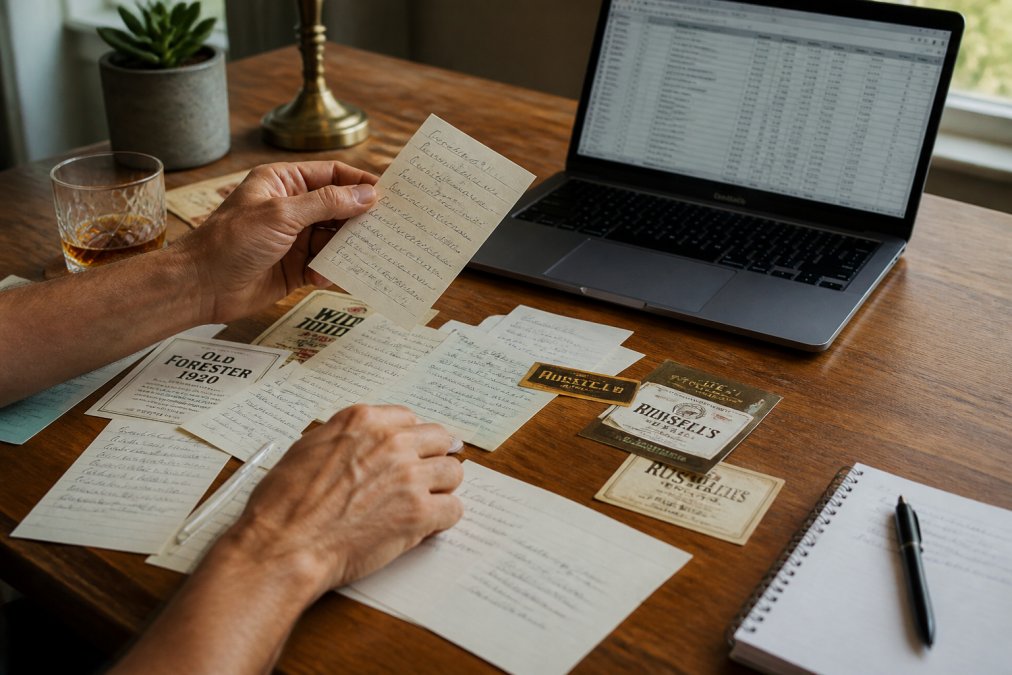
A functional template should include:
- Bottle Name and Distillery: Full identifier. "Buffalo Trace Kentucky Straight Bourbon, 90 Proof" is precise.
- Proof and Age Statement: Critical for comparing similar bottles.
- Tasting Notes: Your sensory impressions, flavor profile, finish, mouthfeel.
- Price Paid and Current Market Value: Tracks your collection's real value and helps you spot deals.
- Date Acquired: Useful for tracking your collection's growth trajectory.
- Wishlist Status: Whether you own it, are hunting it, or have decided to skip it.
- Tasting Location: Where you tried it, as context affects perception.
For spreadsheets, create columns for each field and use data validation for status fields to keep entries consistent. For web-based platforms like Bourbon Tracker™, the template structure is built in. The platform handles organization automatically and lets you tag bottles by flavor profile, age, or price range.
How to Organize Whiskey Tasting Notes for Long-Term Tracking
Tasting notes are the most valuable data in any bourbon collection. Organizing them consistently makes them useful for comparison.

A solid tasting note structure includes:
- Appearance: Color, clarity, viscosity.
- Nose (Aroma): Initial nose and nose after the drink opens up.
- Palate (Taste): Front palate, mid-palate, finish.
- Mouthfeel: Texture and weight.
- Overall Rating: A number for quick reference.
- Context: Where you tasted it and what you ate before.
- Comparison Notes: How it stacks up against similar bottles.
Web-based trackers like Bourbon Tracker™ give you dedicated tasting note fields that expand as you type, keeping notes organized and searchable (peer-reviewed research). Over time, your tasting notes become a personal reference library. When standing in a liquor store deciding between bottles, you can pull up notes on similar expressions and make informed choices. Many collectors develop personal shorthand, "spicy rye bomb" for high-rye bourbon with peppery finish, "creamy corn" for sweet, approachable, lower proof.
Privacy-First Tracking: Keeping Your Collection Data Secure
Your bourbon collection data is personal. It reveals your taste preferences, spending patterns, and wishlist items. Privacy-first tracking means choosing systems that give you control over who sees your data. Spreadsheets stored locally or in a personal cloud account offer maximum privacy. Web-based platforms vary significantly on privacy policies.
Bourbon Tracker™ prioritizes privacy by design. Your collection data is yours. You control what's public and what's private. Your tasting notes stay private unless you choose to share them. Your wishlist is personal by default.
When evaluating a tracking platform, ask: Does it require a public profile or allow private collections? Does it sell or share your data? Can you export your data if you switch platforms? Who can see your tasting notes and wishlist?
For collectors concerned about privacy, use a private spreadsheet for personal tracking and a web-based platform only for community and recommendation features, keeping your collection private on that platform.
Managing Inventory and Price Monitoring Without App Downloads
Web-based systems automate price monitoring in ways spreadsheets cannot. Bourbon Tracker™ monitors market data and alerts you when bottles on your wishlist drop in price or become available. You set your target price, and the system watches for deals.
For inventory management, a web-based tracker keeps everything in one place. You log a bottle as owned, and the platform tracks it. You can search your collection by distillery, proof, age, or flavor profile. A spreadsheet requires manual discipline to maintain and update prices.
For serious collectors managing large collections, price monitoring becomes genuinely valuable. If you own 150 bottles and one appreciates 40% in market value, you want to know (peer-reviewed research). A web-based tracker with price monitoring catches that automatically.
Tracking your bourbon wishlist without downloads is entirely practical. Whether you choose a spreadsheet, a web-based platform like Bourbon Tracker™, or a hybrid approach depends on your collection size, privacy priorities, and whether you want community features and AI recommendations. Start simple, pick one method, log your current collection, and add to it as you acquire new bottles. After a month, you'll have a clear picture of what you own, what you're hunting for, and what your palate actually prefers.
Bourbon Tracker™ makes this easier by eliminating downloads entirely. Log in from any browser, start tracking immediately, and let AI recommendations guide your next bottle purchase. Your collection data stays private unless you choose to share it. Get started with Bourbon Tracker™ and build a collection that reflects your actual taste preferences.
=== FAQ ANSWERS (audit these too, same rules) ===
[1] Q: Can I track my bourbon collection without installing an app? A: Yes. Web-based platforms, spreadsheets, and cloud storage solutions let you track your bourbon wishlist and tasting notes directly in your browser. No download required. Browser-based trackers sync across devices automatically, giving you access from your phone, tablet, or computer without installing software. This approach also gives you full control over your data and privacy settings.
[2] Q: What's the best way to organize whiskey tasting notes for a large collection? A: Use a structured template with columns for bottle name, distillery, proof, tasting date, and detailed notes on flavor profile. Organize notes chronologically or by whiskey type (bourbon, rye, single malt). Store your tasting log in a spreadsheet or dedicated tracking platform so you can search and filter by keywords. This makes it easy to spot patterns in your palate preferences and compare notes across bottles over time.
[3] Q: Is my collection data safe in a web-based bourbon tracker? A: Privacy depends on the platform you choose. Look for trackers that use encrypted connections (HTTPS), don't require personal payment information, and let you control visibility settings. Many web-based solutions store data on secure servers with privacy policies that protect your collection details. Check the platform's privacy statement before entering sensitive information about your whiskey collection.
[4] Q: How do I sync my bourbon wishlist across multiple devices? A: Cloud-based spreadsheets and web trackers sync automatically when you log in from different devices. Google Sheets, for example, updates in real-time across your phone, tablet, and computer. Browser-based platforms like Bourbon Tracker™ store your wishlist and tasting notes in the cloud, so your collection data stays current wherever you access it. Just log in to see your most recent updates.
Frequently Asked Questions
Can I track my bourbon collection without installing an app?
Yes. Web-based platforms, spreadsheets, and cloud storage solutions let you track your bourbon wishlist and tasting notes directly in your browser. No download required. Browser-based trackers sync across devices automatically, giving you access from your phone, tablet, or computer without installing software. This approach also gives you full control over your data and privacy settings.
What's the best way to organize whiskey tasting notes for a large collection?
Use a structured template with columns for bottle name, distillery, proof, tasting date, and detailed notes on flavor profile. Organize notes chronologically or by whiskey type (bourbon, rye, single malt). Store your tasting log in a spreadsheet or dedicated tracking platform so you can search and filter by keywords. This makes it easy to spot patterns in your palate preferences and compare notes across bottles over time.
Is my collection data safe in a web-based bourbon tracker?
Privacy depends on the platform you choose. Look for trackers that use encrypted connections (HTTPS), don't require personal payment information, and let you control visibility settings. Many web-based solutions store data on secure servers with privacy policies that protect your collection details. Check the platform's privacy statement before entering sensitive information about your whiskey collection.
How do I sync my bourbon wishlist across multiple devices?
Cloud-based spreadsheets and web trackers sync automatically when you log in from different devices. Google Sheets, for example, updates in real-time across your phone, tablet, and computer. Browser-based platforms like Bourbon Tracker™ store your wishlist and tasting notes in the cloud, so your collection data stays current wherever you access it. Just log in to see your most recent updates.
This article was written using GrandRanker