 how-to
Track Bourbon Bottles for Free: A 2026 Guide
Table of Contents
- Why Track Your Bourbon Collection
- Manual vs. Automated Tracking Workflows
- Best Free Whiskey Inventory App Options
- How to Catalog Whiskey Bottles Step by Step
- Bourbon Collection Spreadsheet Template Basics
- Managing Wishlists, Tasting History, and Data Export
- Common Mistakes to Avoid When Tracking Your Collection
- Conclusion
Last Updated: August 15, 2026
Why Track Your Bourbon Collection
Without a system, you lose track of what you own, where it sits, whether you've opened it, and what it tasted like months ago. Tracking your bourbon collection matters for three concrete reasons. First, you protect your investment, bottles appreciate or depreciate based on age, rarity, and condition. Second, you remember your tasting notes instead of buying the same bottle twice or forgetting why you loved something. Third, you discover patterns in your palate and make smarter buying decisions.
This guide from Bourbon Tracker™ covers practical methods for tracking your bottles without friction, whether you prefer a spreadsheet, a free app, or a platform designed specifically for this. You'll learn how to set up a system that scales with your collection, what data actually matters to log, and the common mistakes that derail most tracking efforts.
Manual vs. Automated Tracking Workflows
Two fundamentally different approaches exist for managing your bourbon collection.
Spreadsheet-Based Tracking
A spreadsheet is the lowest-friction entry point for most collectors. You control the structure, add columns as you need them, and there's no learning curve. The advantage is complete flexibility, you decide what columns matter: bottle name, distillery, proof, age statement, purchase price, current market value, tasting notes, date opened, whether it's sealed or opened.
The disadvantage emerges as your collection grows. Spreadsheets don't scale gracefully. Once you have 50 bottles, adding entries takes longer because you're scrolling, searching, and manually entering data. You can't quickly search for "all bottles under $60 from Kentucky distilleries" or get a visual summary at a glance.
Digital App-Based Tracking
Digital platforms handle the scaling problem that spreadsheets create. They're built specifically for this workflow. You log a bottle once, and the system stores it, lets you search it, filter it, and access it from any device.
The advantage is speed and accessibility. Many platforms support barcode scanning, which means you point your phone at a bottle and the system pulls in the distillery, proof, and age automatically. You can log tasting notes on your phone while drinking, capturing impressions in the moment.
The disadvantage is dependency. You're relying on a platform that someone else maintains. If the app shuts down, your data might disappear. There's also a learning curve, and most apps have more features than you'll use initially.
The best approach for most collectors is a hybrid: start with a spreadsheet template to understand what data matters to you, then migrate to a digital platform once your collection reaches 30-50 bottles.
Best Free Whiskey Inventory App Options
Several platforms let you track bourbon bottles without paying anything.
Web-Based Platforms
Web-based platforms don't require downloads. You log in from any browser, add bottles, and your data syncs automatically.
Bourbon Tracker™ is a free web platform designed specifically for bourbon and whiskey collectors. It lets you log your bottles, add tasting notes, and receive AI-powered recommendations based on your palate. The platform connects you with the broader bourbon community, so you can see what others are drinking and get suggestions for what to try next. No download required, you access it from any browser. The platform scales whether you have 20 bottles or 200.
Mobile-First Solutions
Mobile-first apps prioritize the phone experience. Many offer barcode scanning, which dramatically speeds up logging. Point your phone at a bottle's barcode, and the app pulls in the distillery name, proof, age, and sometimes tasting notes from other users. This reduces manual data entry from three minutes per bottle to ten seconds.
Most mobile-first apps either charge for premium features or require you to create an account to sync data across devices.
How to Catalog Whiskey Bottles Step by Step
Setting up a system takes less time than you'd expect.
Setting Up Your System
Start by deciding where your data lives. If you're using a spreadsheet, create a new sheet and add your header row. If you're using Bourbon Tracker™ or another platform, create an account and log in. This step takes five minutes.
Next, choose your initial columns or fields. Start with the essentials: bottle name, distillery, proof, age statement, purchase price, and whether it's open or sealed. Add tasting notes and current market value once you've logged a few bottles.
Decide on a naming convention. Use the full name as it appears on the bottle: "Buffalo Trace" not "BT", "Maker's Mark 46" not "MM46". Consistency matters when you're searching later.
Set a schedule for logging. If you're starting with a collection you already own, batch-add your bottles over a weekend. If you're building a collection going forward, log each new bottle as you buy it.
Logging Bottle Details and Tasting Notes
For each bottle, capture the essentials first: name, distillery, proof, age. Add purchase price and date. Log whether the bottle is sealed or open, this is crucial information for valuation.
Tasting notes are where the system becomes actually useful. Write what you notice: "Vanilla, oak, slight spice on the finish" or "Smoky, peppery, dries out quickly." These notes help you remember the bottle months later and are more reliable than anyone else's review.
Date your tasting notes so you can track how your palate evolves.
Using Barcode Scanning for Speed
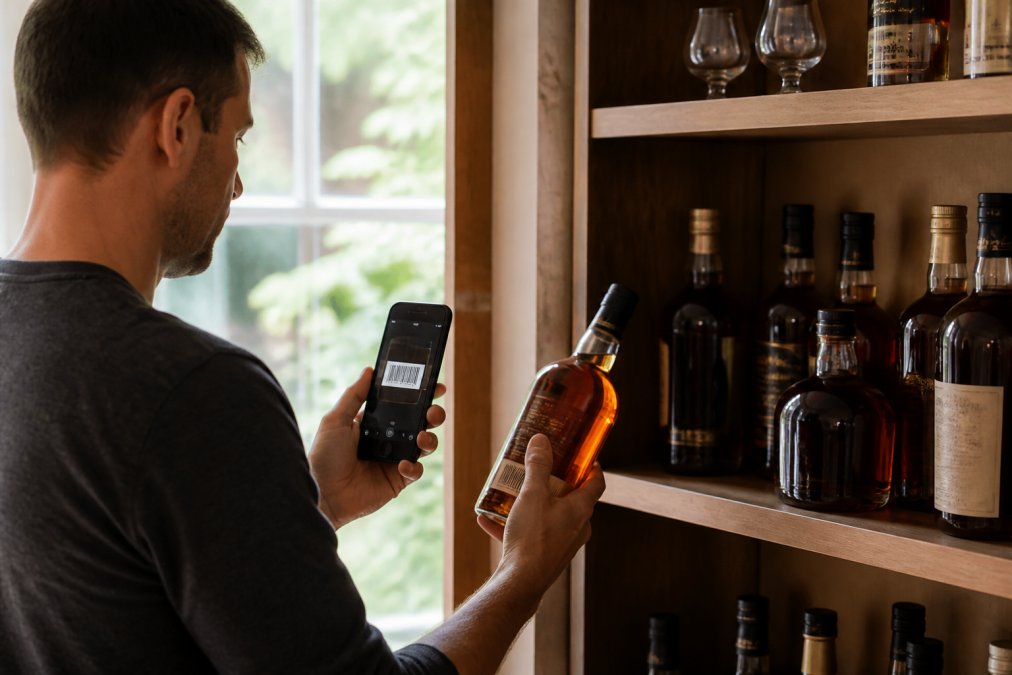
Barcode scanning is the feature that makes digital tracking genuinely faster than a spreadsheet. Point your phone's camera at the bottle, and the system reads the barcode and pulls in the distillery name, proof, and age. You still need to add purchase price and tasting notes manually, but data entry time drops dramatically.
Barcode scanning works best when you're logging multiple bottles at once. Scanning 20 bottles takes ten minutes; manually entering them takes an hour.
Bourbon Collection Spreadsheet Template Basics
A well-designed template makes logging and searching easy.
Essential Columns to Track
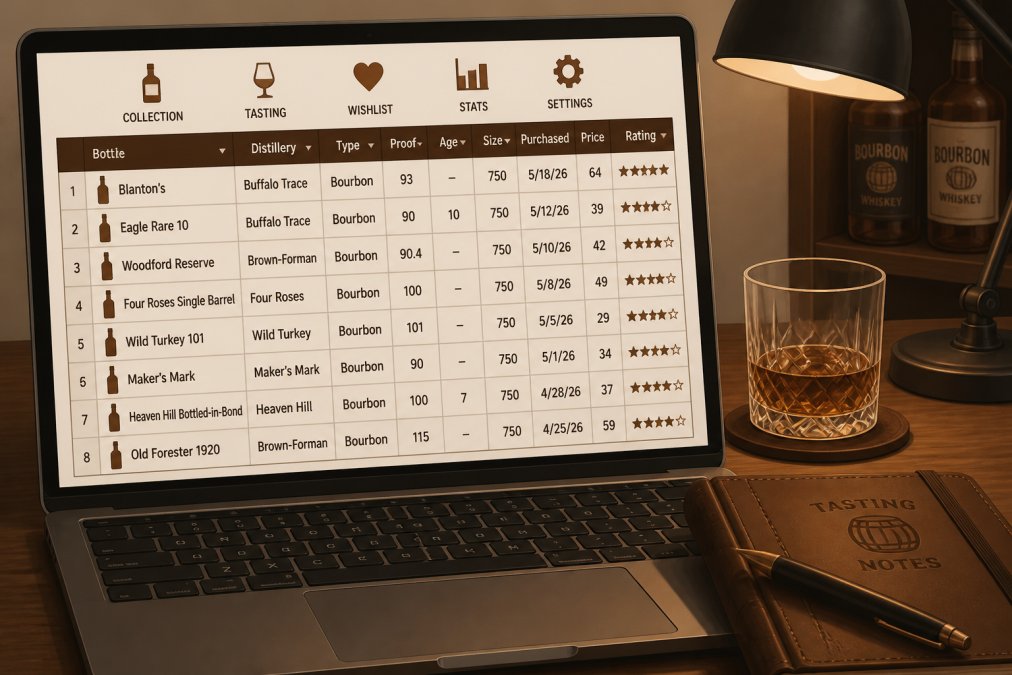
Start with these columns: Bottle Name, Distillery, Proof, Age Statement, Purchase Price, Current Market Value, Date Purchased, Date Opened, Status (Open/Sealed), and Tasting Notes.
Bottle Name is exactly what appears on the label. Distillery is where the bourbon was made. Proof is the alcohol by volume expressed as a proof number. Age Statement is how old the bourbon is. Purchase Price is what you paid. Current Market Value is what the bottle is worth now based on secondary market prices. Date Purchased helps you track acquisition patterns. Date Opened tells you when you started drinking a bottle. Status is simply Open or Sealed. Tasting Notes is where you describe what you experienced.
Adding Valuation and Market Trends
Add a column for Original Retail Price. This is what the bottle cost when it was released. Original retail price gives context for appreciation.
Add a column for Current Secondary Market Price. This is what similar bottles are selling for on resale platforms. Update this quarterly.
Add a column for Price Paid vs. Current Value. A simple formula: Current Value minus Purchase Price. This shows you which bottles have appreciated and which have declined.
Add a column for Notes. Use this for anything that doesn't fit elsewhere: "Batch 2024-03," "Gift from friend," "Limited release," "Allocated bottle."
Tracking valuation teaches you what actually holds value in bourbon. Allocated bottles from major distilleries tend to appreciate. Limited releases appreciate if they're genuinely rare. Standard releases from smaller distilleries often decline or stay flat.
Managing Wishlists, Tasting History, and Data Export
A wishlist is a list of bottles you want to buy. This keeps you from buying the same bottle twice and gives you a target list when shopping.
Tasting history is a record of every bottle you've opened and what you thought of it. Over time, this becomes your personal flavor reference and informs future purchases more accurately than any review you read online.
Data export is crucial. Whatever platform you choose, make sure you can export your data in a standard format, CSV or JSON. This protects you against platform shutdown or pricing changes.
Common Mistakes to Avoid When Tracking Your Collection
Logging bottles you haven't tasted yet. Only log tasting notes after you've actually tasted the bourbon. If you want to track bottles you own but haven't opened yet, mark them as "unopened" and add notes later.
Overcomplicating your initial setup. Start simple. Add columns only when you need them. A system you actually use is infinitely better than a perfect system you don't.
Not updating market values. Market prices shift. Update quarterly at minimum.
Mixing personal notes with standardized data. Use standardized names in structured columns. Use your Notes column for personal commentary.
Losing data because you never back it up. Backup your data regularly. Export it to a file. Store it somewhere safe.
Not tracking open bottles. Track open bottles too. This is the most useful data for understanding your palate.
Conclusion
Tracking your bourbon collection starts simple and scales as your collection grows. Whether you choose a spreadsheet or a digital platform, the key is consistency, logging bottles as you acquire them, adding tasting notes when you actually drink, and updating valuation data periodically. Bourbon Tracker™ handles all of this without requiring downloads or complicated setup, making it the fastest way to get your collection organized and stay on top of what you own, what you've tasted, and what comes next.
Frequently Asked Questions
What's the best way to track bourbon bottles if I have over 150 in my collection?
For large collections, a digital app with barcode scanning capabilities handles scale better than manual spreadsheets. Apps let you search, filter, and sort instantly across hundreds of bottles. If you prefer spreadsheets, organize by distillery, age statement, or proof to keep navigation manageable. Cloud-synced platforms ensure your data stays accessible across devices without performance lag, even with extensive bottle inventories.
Can I use Excel or a spreadsheet to track my whiskey collection?
Yes. A bourbon collection spreadsheet template works well for smaller collections (under 50 bottles) and gives you complete control over data structure. Include columns for bottle name, distillery, proof, age statement, purchase date, tasting notes, and bottle status (open vs sealed). Spreadsheets lack barcode scanning and community features, but they're free and portable. For larger collections, apps offer better search and filtering without manual updates.
What information should I log for each bottle in my collection?
Track distillery, bottle name, proof, age statement, batch or release number, purchase date, price paid, bottle status (open or sealed), and tasting notes. Optional but valuable: mash bill, where you purchased it, market value trends, and personal rating. For bottles you've opened, note the number of pours and remaining volume. This data helps you manage inventory, track collection growth, and make informed decisions about future purchases or sales.
How do I keep my bourbon collection data private and secure?
Check privacy settings in any app or platform you use, most free tools allow you to set collections as private by default. Avoid sharing your full wishlist or valuation data publicly unless you want community input. Use strong passwords and enable two-factor authentication if available. If using cloud sync, verify the platform's data encryption. For spreadsheets stored locally, keep backups on a secure drive. Data portability matters: choose tools that let you export your collection data if you ever switch platforms.
This article was written using GrandRanker