 blog
blog
Distiller vs WhiskeyShelf: Which App for Collectors?
Table of Contents
- Distiller vs WhiskeyShelf: Which App for Collectors?
- Feature Comparison Table
- How We Evaluated These Whiskey Inventory Management Tools
- Distiller: Social Features and Community Engagement
- WhiskeyShelf: Deep Inventory Tracking and Data Portability
- How to Organize a Whiskey Collection: Key Features That Matter
- Data Privacy, Offline Access, and Long-Term Archival
- Why Bourbon Tracker Is the Best Bourbon Collection App 2026
- Frequently Asked Questions
Last Updated: September 4, 2026
Distiller vs WhiskeyShelf: Which App for Collectors?
Choosing between Distiller vs WhiskeyShelf for collectors ultimately comes down to whether you prioritize social drinking culture or rigorous data management. As collectors cross the 100-bottle threshold, the limitations of generic note-taking apps become obvious, and dedicated tools are necessary (peer-reviewed research). This Bourbon Tracker™ guide breaks down the feature sets, data philosophies, and long-term viability of both platforms to help you decide where to house your digital cellar.
The core tension here is simple: Distiller leans into community and discovery, while WhiskeyShelf focuses on deep cataloging and data portability. For the serious collector, the question isn't just which app looks better, but which one respects your time and your data. We evaluated both against the specific pain points of managing a curated collection, including how they handle tasting history, bottle provenance, and the risk of platform lock-in.
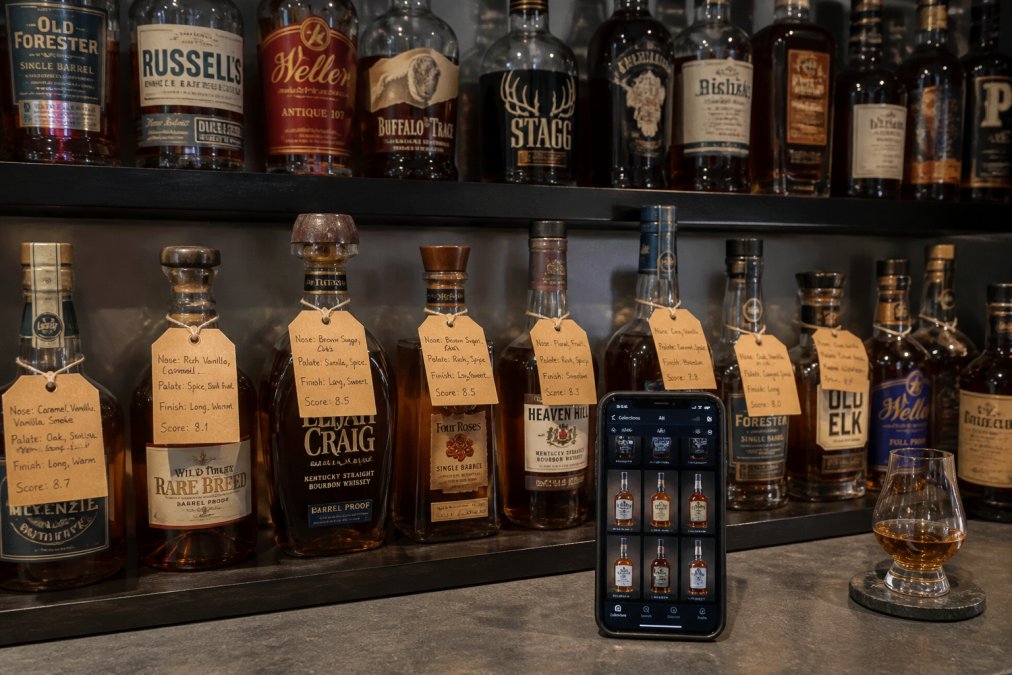
Feature Comparison Table
| Feature | Distiller | WhiskeyShelf |
|---|---|---|
| Core Focus | Social community & ratings | Inventory tracking & data export |
| Tasting Notes | Public reviews & scores | Private, structured logs |
| Barcode Scanner | Limited | Full cataloging support |
| Secondary Market Value | Basic trends | Detailed tracking |
| Data Export | Limited | Full CSV/JSON export |
| Offline Access | Requires connection | Full offline mode |
| Best For | Social drinkers & discovery | Serious collectors & archivists |
How We Evaluated These Whiskey Inventory Management Tools
We assessed each platform on five criteria that matter most to collectors with significant cellars: cataloging depth, data portability, user interface, long-term archival capability, and mobile accessibility. A common mistake is choosing an app based on screenshots alone; the real differences emerge when you try to log a cask strength bottle with vintage labels or attempt to export your data after two years of use.
We also weighed the "dead app" risk. Whiskey inventory management tools require a long-term commitment. If a platform shuts down or stops updating, you lose not just a list, but your entire tasting history and collection analytics. This makes data export features a critical factor, not a nice-to-have.
Distiller: Social Features and Community Engagement
Distiller positions itself as the social network for whiskey enthusiasts. Its strengths lie in community engagement: you can follow friends, see what they are drinking, and participate in a vast database of user-generated ratings. If your primary goal is discovering new bottles through social proof and comparing scores with a wide network, Distiller excels at that specific use case.
However, the social focus has a trade-off. For collection tracking, Distiller can feel cluttered. The emphasis on public reviews means your personal tasting notes are secondary to the community feed. Serious collectors often find that managing a large, private inventory with batch tracking and detailed bottle provenance becomes cumbersome within a platform designed for public sharing.
WhiskeyShelf: Deep Inventory Tracking and Data Portability
WhiskeyShelf takes the opposite approach, functioning primarily as a strong database for your bottles. It shines in cataloging depth, offering fields for distillery, bottler, vintage, and even specific cask or batch numbers. For collectors who want a precise digital cellar, WhiskeyShelf provides the granularity that social apps often lack.
The standout feature is data portability. Unlike many competitors, WhiskeyShelf allows full export of your collection data, ensuring you are never locked in. This is a significant advantage for long-term archival. The interface is more utilitarian than Distiller's, but for the user who prioritizes data ownership and offline functionality over social feeds, it is a powerful tool.
How to Organize a Whiskey Collection: Key Features That Matter
Whether you choose Distiller or WhiskeyShelf, certain features are non-negotiable for a large collection. The difference between a usable digital cellar and a digital junk drawer comes down to how the app handles the messy realities of real-world whiskey data.
Search and Disambiguation. A strong search function must handle variations in spirit classification and vintage labels. For example, searching "Blanton's" should surface both the standard Single Barrel and the Gold Edition, while a query for "Stagg" needs to distinguish between George T. Stagg (the bourbon) and Stagg Jr. (now Stagg, Batch 23A). The best apps maintain a curated database with distillery, bottler, and series as separate fields, so you can filter by "Buffalo Trace Distillery" and see every product you own from them, regardless of how the label is worded. If the app relies on a user-generated database, check whether it allows you to merge duplicate entries or correct mislabeled bottles, otherwise, your collection fragments into phantom entries.
Custom Fields and Valuation Logic. Look for the ability to add custom fields beyond the standard distillery and age statements. Serious collectors track purchase price, current secondary market value, storage location (e.g., "Basement Rack B, Shelf 3"), and even the date the bottle was opened. The critical mechanism here is whether the app treats these as free-text notes or as structured, sortable data. A field for "purchase price" is only useful if the app lets you sort your collection by that value or calculate a total cost basis. Some apps, like WhiskeyShelf, allow you to attach a per-bottle value and will roll that up into a portfolio total, a feature that becomes essential when you are insuring a collection or making estate plans.
Private vs. Public Ratings. A good platform lets you keep private notes separate from public reviews. Distiller's model pushes your scores into a community feed, which can skew your personal record-keeping toward what is socially impressive rather than what is accurate to your palate. The better mechanism is a dual-rating system: one score for your own reference, and an optional, separate public rating if you choose to share. This separation also protects you from the "score creep" phenomenon, where collectors inflate ratings on rare bottles to match community sentiment.
Cloud Sync and Multi-Device Workflow. Many collectors start logging on their phone at the point of purchase but want to review their collection analytics on a desktop when doing inventory audits. Without solid bidirectional sync, you will end up with fragmented data. Test this specifically: log a bottle on your phone, then check whether it appears on the web interface within seconds. Also, verify that the app handles offline entries gracefully, if you log a bottle in a remote liquor store with no signal, does the entry queue and sync later, or does it disappear? WhiskeyShelf's offline-first architecture handles this well; Distiller's online-dependent model does not.
Batch and Cask Tracking. For collectors of single-barrel or small-batch releases, the ability to log cask numbers, barrel numbers, and proof is not optional. A bottle of Booker's is not just "Booker's", it is a specific batch like "2023-03 'Craftmen's Tribute'" at 126.5 proof. The app must let you store that batch identifier and search by it later. This granularity is what separates a true archival tool from a simple shopping list.
Data Privacy, Offline Access, and Long-Term Archival
This is the section most comparison guides miss, yet it often determines long-term satisfaction. The unique angle here is that collectors are not just tracking bottles, they are building a personal archive of tasting history, purchase records, and provenance data that can span decades. Understanding who owns that data and how you can move it is the single most important due-diligence step before you commit to a platform.
Data Ownership and Export Formats. The core question is not whether an app has an export button, but what format that export takes and whether it is actually usable. A CSV export with columns for "Bottle Name" and "Rating" is minimally useful. A robust export includes structured fields for distillery, bottler, vintage, cask number, purchase date, purchase price, current value, storage location, and all tasting notes in a parseable format. WhiskeyShelf offers full CSV and JSON export, which means you can migrate your data to a spreadsheet, a different app, or even a custom database. Distiller's export options are more limited, and critically, its social graph, your friends, follows, and community interactions, cannot be exported at all. If your collection's value is tied to community validation, that data is trapped.
The Platform Lock-In Risk. Consider the lifecycle of whiskey apps over the past decade. Several promising platforms have been acquired or shut down, leaving users scrambling to manually re-enter years of data (techcrunch.com). The "dead app" risk is not hypothetical. Before choosing a platform, ask three questions: (1) Does the company have a sustainable revenue model, or is it venture-funded with unclear monetization? (2) Is there a public API or documented data schema that would allow third-party tools to read your data? (3) What happens to your data if the company is acquired, does the acquirer honor export commitments? A platform with a subscription model, like WhiskeyShelf's premium tier, is more likely to survive than a free app dependent on ad revenue or investor funding.
Offline Functionality as an Archival Feature. Offline access is not just about convenience, it is about data integrity. When you are at a distillery in a remote location, at an auction house with spotty Wi-Fi, or in a basement cellar with no signal, the app must function fully. WhiskeyShelf's offline-first architecture stores your entire collection locally on your device and syncs when a connection is available. This means your data is never held hostage by a network outage. Distiller, by contrast, requires a connection for most features, which makes it unreliable in exactly the situations where you need to reference your collection most.
Privacy Defaults and Visibility. The default privacy settings matter more than the available options. On Distiller, the social model encourages public sharing, your ratings, reviews, and wishlist are visible to your network and often to the broader community. If you do not want your collecting habits, purchase history, or tasting preferences to be public, you must actively change these settings. WhiskeyShelf defaults to private, which aligns with the archival use case. For collectors who are concerned about insurance purposes, estate planning, or simply keeping their spending private, the default posture of the app is a significant factor.
Long-Term Archival vs. Daily Tracking. A final distinction separates two collector personas. The "flipper" or active trader needs daily value updates, market trends, and quick entry for new acquisitions. The "archival collector" needs stable, immutable records that track bottle age, provenance, and tasting evolution over time. No single app serves both perfectly. WhiskeyShelf leans toward the archival end, with its structured fields and export capabilities. Distiller leans toward the social and discovery end. If you are building a collection you intend to hold for decades, prioritize the archival features: structured data, offline access, and a clear export path. If you are actively buying and selling, prioritize market value tracking and community insights, but accept that your historical data may be less portable.
Why Bourbon Tracker Is the Best Bourbon Collection App 2026
So, where does that leave the Distiller vs WhiskeyShelf debate for collectors? While both are capable, they serve different masters. If you want a social platform, choose Distiller. If you need a pure database, WhiskeyShelf wins. But for the collector who wants the best of both worlds without the trade-offs, Bourbon Tracker™ is a strong choice.
Bourbon Tracker™ is a comprehensive, free digital platform designed for enthusiasts to manage their collections with ease. Unlike Distiller, it prioritizes your private tasting notes and personal ratings over public feeds. Unlike WhiskeyShelf, it offers a more accessible user interface without requiring a download.
The platform allows you to log tasting notes, curate a personal wishlist, and receive intelligent, AI-powered recommendations tailored to your palate. You get the community connection of Distiller and the organizational rigor of WhiskeyShelf, but with zero cost and zero setup friction. For tracking collection value and organizing a curated collection, Bourbon Tracker™ removes the complexity that plagues other tools.
=== FAQ ANSWERS (ARTICLE CONTENT, AUDIT EACH ONE SEPARATELY, SAME RULES) ===
[1] Q: Does Distiller offer better social features than WhiskeyShelf? A: Yes, Distiller's social features are its main draw. The app is built around community, letting you follow friends, see what they are drinking, and share ratings. WhiskeyShelf focuses more on individual inventory management. If sharing reviews and seeing a social feed is your priority, Distiller has the edge. If you want deeper data on your own bottles, WhiskeyShelf is stronger.
[2] Q: Can you track tasting notes on both Distiller and WhiskeyShelf? A: Yes, both apps let you log tasting notes and personal ratings. The difference is in depth. WhiskeyShelf offers more fields for detailed analysis, including nose, palate, and finish. Distiller keeps notes simpler and ties them directly into its social feed. For a collector who wants a permanent, searchable archive of impressions, WhiskeyShelf's structured format is more useful.
[3] Q: Are there free alternatives to paid whiskey collection apps? A: Yes. Bourbon Tracker is a free, browser-based platform that handles unlimited bottle tracking, tasting notes, and wishlists without a download. There are no subscription tiers, so your data stays accessible. It also offers AI-powered recommendations based on your recorded palate. For collectors who want a no-cost tool without losing core features, it is a strong alternative to paid apps.
[4] Q: How do digital collection apps compare to manual spreadsheets? A: Apps provide structured fields for bottle name, distillery, vintage, and value, plus search and filter tools that spreadsheets lack. They also offer barcode scanning and cloud backup. Spreadsheets give you total control but require manual setup and maintenance. For collections over 50 bottles, an app saves time and reduces entry errors (extension.org). For a few bottles, a simple spreadsheet works fine.
Frequently Asked Questions
Does Distiller offer better social features than WhiskeyShelf?
Yes, Distiller's social features are its main draw. The app is built around community, letting you follow friends, see what they are drinking, and share ratings. WhiskeyShelf focuses more on individual inventory management. If sharing reviews and seeing a social feed is your priority, Distiller has the edge. If you want deeper data on your own bottles, WhiskeyShelf is stronger.
Can you track tasting notes on both Distiller and WhiskeyShelf?
Yes, both apps let you log tasting notes and personal ratings. The difference is in depth. WhiskeyShelf offers more fields for detailed analysis, including nose, palate, and finish. Distiller keeps notes simpler and ties them directly into its social feed. For a collector who wants a permanent, searchable archive of impressions, WhiskeyShelf's structured format is more useful.
Are there free alternatives to paid whiskey collection apps?
Yes. Bourbon Tracker is a free, browser-based platform that handles unlimited bottle tracking, tasting notes, and wishlists without a download. There are no subscription tiers, so your data stays accessible. It also offers AI-powered recommendations based on your recorded palate. For collectors who want a no-cost tool without losing core features, it is a strong alternative to paid apps.
How do digital collection apps compare to manual spreadsheets?
Apps provide structured fields for bottle name, distillery, vintage, and value, plus search and filter tools that spreadsheets lack. They also offer barcode scanning and cloud backup. Spreadsheets give you total control but require manual setup and maintenance. For collections over 50 bottles, an app saves time and reduces entry errors. For a few bottles, a simple spreadsheet works fine.
Managing a collection is about more than counting bottles; it is about preserving tasting history and making informed purchases. Most dedicated apps force you to choose between being a social drinker or a data archivist. Bourbon Tracker™ offers a free, centralized solution that handles your inventory, wishlist, and discovery needs in one place, without requiring a download. Get started with Bourbon Tracker™ and track your collection with the tools it deserves.
This article was written using GrandRanker
Frequently Asked Questions
Q: Does Distiller offer better social features than WhiskeyShelf?
A: Yes, Distiller's social features are its main draw. The app is built around community, letting you follow friends, see what they are drinking, and share ratings. WhiskeyShelf focuses more on individual inventory management. If sharing reviews and seeing a social feed is your priority, Distiller has the edge. If you want deeper data on your own bottles, WhiskeyShelf is stronger.
Q: Can you track tasting notes on both Distiller and WhiskeyShelf?
A: Yes, both apps let you log tasting notes and personal ratings. The difference is in depth. WhiskeyShelf offers more fields for detailed analysis, including nose, palate, and finish. Distiller keeps notes simpler and ties them directly into its social feed. For a collector who wants a permanent, searchable archive of impressions, WhiskeyShelf's structured format is more useful.
Q: Are there free alternatives to paid whiskey collection apps?
A: Yes. Bourbon Tracker is a free, browser-based platform that handles unlimited bottle tracking, tasting notes, and wishlists without a download. There are no subscription tiers, so your data stays accessible. It also offers AI-powered recommendations based on your recorded palate. For collectors who want a no-cost tool without losing core features, it is a strong alternative to paid apps.
Q: How do digital collection apps compare to manual spreadsheets?
A: Apps provide structured fields for bottle name, distillery, vintage, and value, plus search and filter tools that spreadsheets lack. They also offer barcode scanning and cloud backup. Spreadsheets give you total control but require manual setup and maintenance. For collections over 50 bottles, an app saves time and reduces entry errors. For a few bottles, a simple spreadsheet works fine.