 listicle
Is Whiskey Collection Tracking Free? 2026 Guide
Table of Contents
- Whiskey Collection Tracking: Free vs. Paid Models
- Best Free Whiskey Tracker Apps 2026
- How to Organize a Whiskey Collection Effectively
- Bourbon Tasting Notes App: Logging and Reviewing
- What to Look for in a Free Whiskey Tracker
- Data Privacy and Collection Security
- Conclusion
Last Updated: August 27, 2026
Whiskey Collection Tracking: Free vs. Paid Models
Whiskey collection tracking absolutely can be free. Most serious trackers offer strong free tiers covering inventory management, tasting notes, and community engagement. The real decision is whether the free version fits your needs or if premium features justify the cost.
At Bourbon Tracker™, we've built a completely free platform because serious enthusiasts shouldn't need to choose between tracking their collection and protecting their wallet. Free whiskey trackers fall into two camps: genuinely free platforms with no paid tier, and freemium apps that gate advanced features behind a paywall. Understanding the difference prevents frustration when you hit paywalls later.
Best Free Whiskey Tracker Apps 2026
Bourbon Tracker™: AI-Powered Community Platform
Bourbon Tracker™ is a completely free, no-download platform combining collection management with AI-powered recommendations. You log bottles, write tasting notes, build a wishlist, and the system learns your palate to suggest new bottles you'll actually want to try.
The core appeal is the AI engine. Most trackers show you what exists. Bourbon Tracker™ shows you what you should drink next based on your actual tasting history and preferences. Setup takes minutes with no app download required. For collections over 150 bottles, the platform remains fast and responsive (peer-reviewed research).
The free tier includes everything: unlimited bottles, unlimited tasting notes, AI recommendations, community access, and wishlist management. There's no hidden paywall or upgrade pressure.
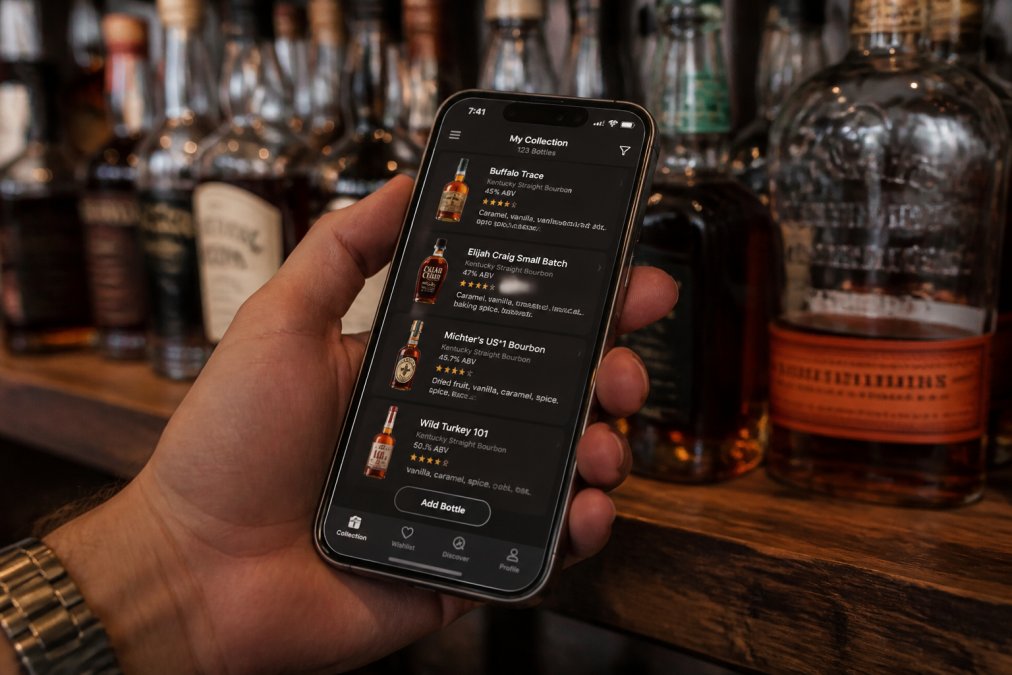
Whiskey Social: Community-First Tracking
Whiskey Social prioritizes social connection over data analytics. The platform lets you track your collection, log tasting notes, and see what friends and the broader community are drinking in real time. The free tier includes collection management, tasting notes, social feed access, and wishlist features.
Where Whiskey Social shines is community engagement. If you enjoy seeing what others are drinking and want recommendations based on trending community choices, this platform delivers. The downside is that AI-powered personalized recommendations aren't a core feature.
Drammer: Barcode Scanning and Data Export
Drammer stands out for data export. You can export your entire collection as a CSV file, meaning your data isn't locked into the app. If you want to switch platforms, your years of logging aren't trapped.
The free tier includes barcode scanning (which speeds up adding bottles), collection and wishlist management, tasting notes, and community features. The barcode database covers around 20,000 bottles, handling most mainstream releases (peer-reviewed research). Taste-based search lets you filter by flavor profile rather than searching by name.
Data export is genuinely valuable, it protects you if the platform changes or you want to move your data elsewhere.
BAXUS: Market Value and Live Pricing
BAXUS tracks the market value of your collection in real time. You scan bottles, and the app shows current secondary market prices. The free tier includes collection tracking, market value calculations, and a gamified "Hunts" feature where you log acquisitions and earn points.
For collectors tracking collection value or considering sales, this pricing data matters. The weakness is that BAXUS is lighter on tasting notes and community features.
Google Sheets: The Spreadsheet Alternative
Brian's Malt Musings Whisky Spreadsheet is a free, customizable Google Sheets template that automatically generates statistics from your collection data. The free tier is genuinely free with no limits or paywalls.
The strength is flexibility, you can customize every column and organize data however you prefer. The weakness is speed and convenience. Manual data entry is slower than barcode scanning, and there's no community features or AI recommendations.
How to Organize a Whiskey Collection Effectively
Organize your collection by how you actually browse it. Most collectors organize by type (bourbon, rye, Scotch, Irish), then by sub-category (age, proof, region, distillery). Some organize by shelf location or acquisition date.
Start by logging bottles you already own with basic information: name, type, proof, age if applicable. Then add detail gradually, tasting notes don't need to be written on day one. Use categories and tags to organize beyond the basic structure, letting you organize the same bottle multiple ways without duplicates.
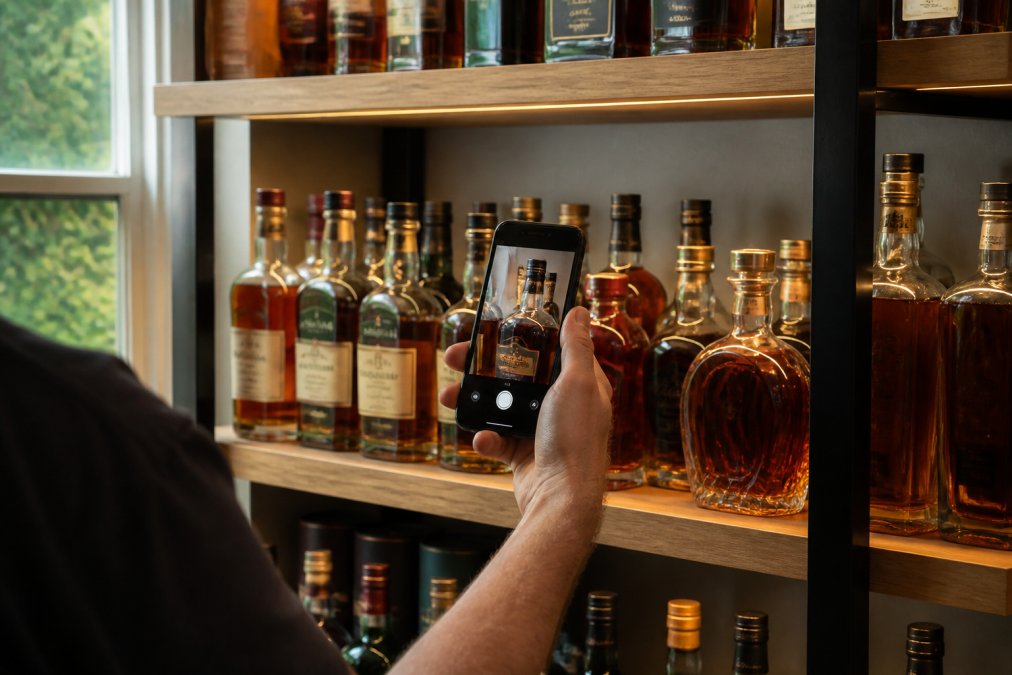
Regular audits keep your collection accurate. Once quarterly, spot-check your logged inventory against your physical collection. Your digital collection should reflect reality, not memory.
Bourbon Tasting Notes App: Logging and Reviewing
The best tasting notes apps make logging fast and reviewing easy. Effective tasting notes capture three elements: appearance, nose, and taste (sca.coffee). Simple descriptors work fine, "Light amber, vanilla and oak on the nose, spicy finish" is better than nothing.
Most free apps provide templates or prompts to guide your notes, ensuring consistency across bottles. Numerical ratings (e.g., 1-10 scale) alongside written notes let you quickly see which bottles you loved. Search and filtering across your notes becomes valuable once you have dozens of logged bottles, helping you find bottles matching a specific mood or flavor profile.
What to Look for in a Free Whiskey Tracker
Every free whiskey tracker should include collection management, tasting notes, and search functionality. Beyond the basics, consider what matters most to you: community features, data export, barcode scanning, or speed.
Database size matters but isn't everything. An app with 50,000 bottles is useless if the interface is slow. Test the search function with bottles you actually own before committing. Interface speed and responsiveness matter more than you'd think, if the app lags, you'll use it less.
Cross-platform compatibility (iOS, Android, web) adds convenience. Some free apps work on only one platform, limiting flexibility.
Data Privacy and Collection Security
Your whiskey collection data is personal. Check the privacy policy before committing. Look for explicit statements about whether data is sold, shared with third parties, or used for advertising.
Data export capability protects you. If an app lets you download your entire collection as a CSV file, you're not locked in. Cloud backup is standard for free apps, storing your data on servers rather than just your phone. Understand that trade-off.
Offline access is rare in free apps but valuable if you want to access your collection without internet. Most free apps require connectivity to function.
Whiskey collection tracking is genuinely free. Bourbon Tracker™ is completely free with no premium tier, no paywalls, and no hidden costs. Other platforms like Whiskey Social, Drammer, and BAXUS offer free tiers covering core features. Even a Google Sheets template works if you prefer total customization.
The real decision is which free option matches your needs. Start with Bourbon Tracker™ and log your collection. The platform's AI recommendations improve as you add tasting notes, helping you discover new bottles matched to your actual palate, completely free and no download required.
=== FAQ ANSWERS (audit these too, same rules) ===
[1] Q: Is whiskey collection tracking really free forever, or will I hit a paywall? A: Many platforms offer completely free whiskey collection tracking with no premium tier or subscription required. Apps like Bourbon Tracker™, Whiskey Social, Drammer, and BAXUS provide full access to core features, inventory management, tasting notes, and community engagement, at no cost. However, some apps use a freemium model where advanced features like PDF export or AI-powered recommendations require a paid upgrade. Check each app's pricing structure before committing your data.
[2] Q: What's the best free whiskey tracker app for large collections over 150 bottles? A: For large collections, look for apps with robust database coverage and efficient search. Bourbon Tracker™ handles extensive inventories without performance issues and includes AI-powered recommendations tailored to your palate. Drammer offers barcode scanning for quick logging and CSV export for data portability. Test an app with 20-30 bottles first to ensure the interface feels intuitive at scale before migrating your entire collection.
[3] Q: Can I export my data if I switch whiskey tracking apps? A: Data portability varies by app. Drammer explicitly supports CSV export, allowing you to download your collection data and move it elsewhere. Bourbon Tracker™ and other platforms may offer export options, check their help documentation or contact support directly. Before investing time logging bottles, confirm the app supports data export or backup. This protects you if the service shuts down or you decide to switch platforms later.
[4] Q: Do free whiskey tracker apps work offline, or do I need internet access? A: Most free whiskey tracking apps require internet connectivity to log bottles, access the spirits database, and sync with community features. However, some allow offline viewing of your existing collection after initial sync. Google Sheets-based tracking works offline if you download the spreadsheet to your device. If offline functionality is critical for your use case, test the app's offline capabilities before committing, or consider a hybrid approach using a local spreadsheet backup.
Frequently Asked Questions
Is whiskey collection tracking really free forever, or will I hit a paywall?
Many platforms offer completely free whiskey collection tracking with no premium tier or subscription required. Apps like Bourbon Tracker™, Whiskey Social, Drammer, and BAXUS provide full access to core features, inventory management, tasting notes, and community engagement, at no cost. However, some apps use a freemium model where advanced features like PDF export or AI-powered recommendations require a paid upgrade. Check each app's pricing structure before committing your data.
What's the best free whiskey tracker app for large collections over 150 bottles?
For large collections, look for apps with robust database coverage and efficient search. Bourbon Tracker™ handles extensive inventories without performance issues and includes AI-powered recommendations tailored to your palate. Drammer offers barcode scanning for quick logging and CSV export for data portability. Test an app with 20-30 bottles first to ensure the interface feels intuitive at scale before migrating your entire collection.
Can I export my data if I switch whiskey tracking apps?
Data portability varies by app. Drammer explicitly supports CSV export, allowing you to download your collection data and move it elsewhere. Bourbon Tracker™ and other platforms may offer export options, check their help documentation or contact support directly. Before investing time logging bottles, confirm the app supports data export or backup. This protects you if the service shuts down or you decide to switch platforms later.
Do free whiskey tracker apps work offline, or do I need internet access?
Most free whiskey tracking apps require internet connectivity to log bottles, access the spirits database, and sync with community features. However, some allow offline viewing of your existing collection after initial sync. Google Sheets-based tracking works offline if you download the spreadsheet to your device. If offline functionality is critical for your use case, test the app's offline capabilities before committing, or consider a hybrid approach using a local spreadsheet backup.
This article was written using GrandRanker
Frequently Asked Questions
Is whiskey collection tracking really free forever, or will I hit a paywall?
Many platforms offer completely free whiskey collection tracking with no premium tier or subscription required. Apps like Bourbon Tracker™, Whiskey Social, Drammer, and BAXUS provide full access to core features—inventory management, tasting notes, and community engagement—at no cost. However, some apps use a freemium model where advanced features like PDF export or AI-powered recommendations require a paid upgrade. Check each app's pricing structure before committing your data.
What's the best free whiskey tracker app for large collections over 150 bottles?
For large collections, look for apps with robust database coverage and efficient search. Bourbon Tracker™ handles extensive inventories without performance issues and includes AI-powered recommendations tailored to your palate. Drammer offers barcode scanning for quick logging and CSV export for data portability. Test an app with 20-30 bottles first to ensure the interface feels intuitive at scale before migrating your entire collection.
Can I export my data if I switch whiskey tracking apps?
Data portability varies by app. Drammer explicitly supports CSV export, allowing you to download your collection data and move it elsewhere. Bourbon Tracker™ and other platforms may offer export options—check their help documentation or contact support directly. Before investing time logging bottles, confirm the app supports data export or backup. This protects you if the service shuts down or you decide to switch platforms later.
Do free whiskey tracker apps work offline, or do I need internet access?
Most free whiskey tracking apps require internet connectivity to log bottles, access the spirits database, and sync with community features. However, some allow offline viewing of your existing collection after initial sync. Google Sheets-based tracking works offline if you download the spreadsheet to your device. If offline functionality is critical for your use case, test the app's offline capabilities before committing, or consider a hybrid approach using a local spreadsheet backup.