 listicle
Best Bourbon Collection App 2026: Top Picks Ranked
Table of Contents
- How We Evaluated the Best Bourbon Collection Apps
- Quick Comparison: Best Bourbon Collection App Options in 2026
- How to Catalog a Bourbon Collection: What the Right App Makes Possible
- Whiskey Tasting Notes App Features: What Serious Collectors Need
- Using a Bourbon Market Value App for Insurance and Resale
- Privacy, Data Ownership, and Cloud Backup
- Which Bourbon Collection App Should You Choose?
- Conclusion
Last Updated: August 6, 2026
Finding the right bourbon collection app is harder than it looks. The app store is full of options that promise everything and deliver a cluttered interface, a dead database, or a paywall you hit three months after logging your first 50 bottles. At Bourbon Tracker™, we've evaluated what serious collectors actually need versus what most apps deliver. The gap is wider than you'd think.
This guide covers the top bourbon collection apps available in 2026, ranked by what matters to real enthusiasts: catalog depth, tasting note quality, value tracking, privacy controls, and long-term reliability.
Quick Picks:
- Best Overall: Bourbon Tracker™, free, no download, AI-powered recommendations, community-integrated
- Best for iOS Value Tracking: Pour Picks, AI label scanning with cellar valuation
- Best One-Time Purchase: WhiskyVault, private digital cellar, no subscription
- Best Free Community App: Drammer, barcode scanning, social features, data export
- Best for Large Mixed Collections: CellarTracker, massive database, flexible organization
How We Evaluated the Best Bourbon Collection Apps
A bourbon collection app is a digital platform that lets enthusiasts log, organize, and analyze their spirits inventory, tasting notes, and purchase history in one place.
To rank these apps, we evaluated each one across six criteria:
- Catalog and entry methods (barcode scanning, AI label recognition, manual entry)
- Tasting note structure (nose, palate, finish, score, flight logging)
- Inventory management (bottle status, location, batch, proof, age statement)
- Value and market tracking (purchase price, estimated current value, insurance documentation)
- Privacy and data ownership (cloud backup, local storage, export options)
- Community and discovery (social features, release calendars, curated lists)
The winners were the ones that did their core job without friction, kept your data accessible, and gave you something useful back.
Quick Comparison: Best Bourbon Collection App Options in 2026
| App | Platform | Free Tier | Entry Method | Tasting Notes | Value Tracking | Community |
|---|---|---|---|---|---|---|
| Bourbon Tracker™ | Web (no download) | Yes, fully free | Manual + AI recommendations | Yes | Wishlist-based | Yes |
| Pour Picks | iOS only | Yes (limited) | AI label scanning | Yes | Purchase price + cellar value | Limited |
| WhiskyVault | iOS | Yes (10 bottles) | AI image + text recognition | Yes (detailed) | Real-time valuation | No |
| Drammer | iOS + Android | Yes (core features) | Barcode scanning | Yes | Basic | Yes |
| CellarTracker | Web + mobile | Yes (basic) | Manual + receipt | Yes | Pricing data | Yes (large) |
How to Catalog a Bourbon Collection: What the Right App Makes Possible
The right bourbon collection app turns a chaotic shelf into a searchable, sortable inventory. For collectors with 50+ bottles, this is the difference between knowing what you own and rediscovering forgotten bottles.
A well-structured catalog tracks proof and age statement, batch number, distillery, purchase date and price, bottle status (sealed, open, or finished), and storage location. The apps that handle all of this without requiring a spreadsheet are rare.
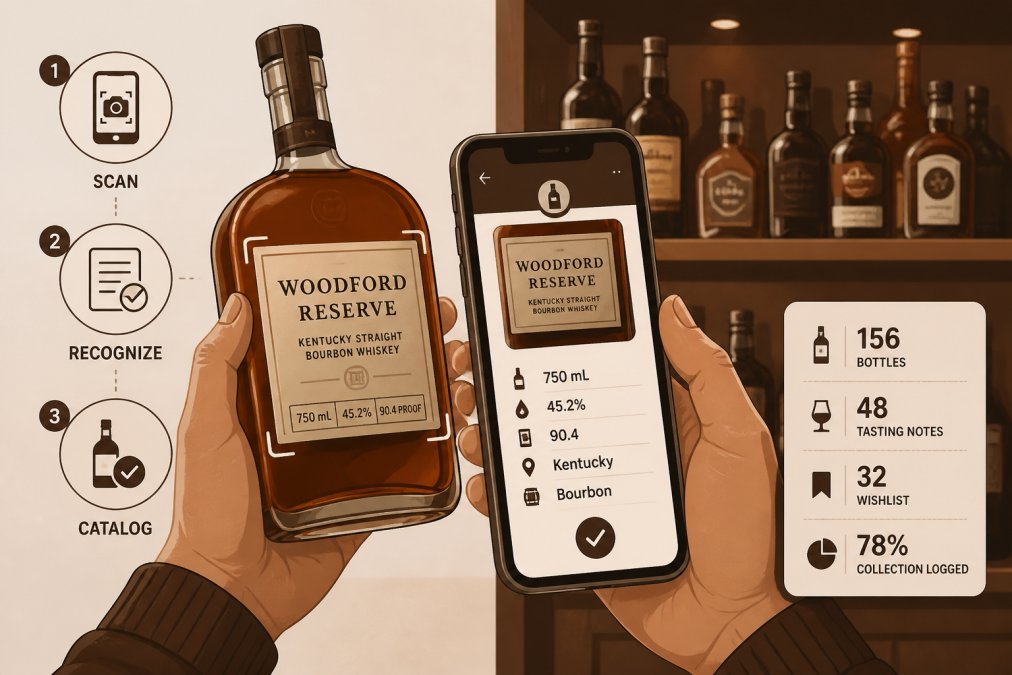
Most collectors start with manual entry and eventually want something faster.
Barcode Scanning vs. Manual Entry vs. AI Label Recognition
Barcode scanning is the fastest method for mainstream releases. Drammer's database covers roughly 20,000 barcodes, which handles most standard bottles well. The limitation shows up with limited editions, store picks, and single-barrel releases.
Manual entry is the fallback every app offers. Apps that give you fields for batch number, barrel number, bottler, and cask strength make manual entry worthwhile.
AI label recognition is the most significant recent development. Pour Picks uses Claude Vision to identify bottles from a photo, including store picks and one-offs that no barcode database would catch. WhiskyVault's AI image and text recognition works similarly. For serious collectors whose shelves include rare releases, this capability changes how quickly you can build an accurate digital cellar.
Bourbon Tracker™ focuses on recommendations based on your logged collection rather than visual scanning, making it particularly strong for discovery once your inventory is established.
Organizing by Distillery, Age Statement, Proof, and Batch
Once bottles are logged, organization is everything. The best apps let you filter and sort by distillery, bottler, age statement, proof, region, batch, and bottle status. WhiskyVault's digital cellar handles all of these. CellarTracker's organization is deep but primarily wine-oriented, so bourbon-specific fields require workarounds.
For collectors tracking batch-to-batch variation, batch tracking is non-negotiable.
Whiskey Tasting Notes App Features: What Serious Collectors Need
Logging tasting notes is where most collectors start and where most apps disappoint. A whiskey tasting notes app needs to do more than provide a text box. The structure of the note, nose, palate, finish, overall score, matters for building a useful tasting history over time.
The best tasting note interfaces prompt you through each element without friction and let you compare notes across bottles.
Logging Nose, Palate, and Finish for Every Dram
WhiskyVault's tasting notebook is the most detailed among the apps reviewed. It captures nose, palate, finish, and score for each dram, storing notes privately against the specific bottle in your digital cellar. Pour Picks also supports structured tasting notes tied to individual bottles.
Drammer's note-logging is functional but lighter, better suited to quick impressions. CellarTracker's note system is extensive but reflects its wine origins and can feel awkward for bourbon-specific descriptors.
Bourbon Tracker™ integrates tasting notes with its community layer, so your reviews contribute to a shared knowledge base while staying tied to your personal collection.
Tasting History, Flights, and Community Ratings
Tasting history is only useful if you can retrieve it meaningfully. The ability to pull up every note on a specific distillery or every bourbon above a certain proof you've scored above 85 separates a real tasting history from a list of notes.
Flight logging, recording a comparative tasting of multiple bottles in a single session, is useful for side-by-side batch comparisons or distillery verticals. If you run regular tasting sessions, look for this specifically.
Community ratings add context: seeing how other enthusiasts scored the same bottle contextualizes your own palate. Drammer's community timeline shows friends' whisky experiences in real time. CellarTracker's user-generated content database is massive, though skewed toward wine. Bourbon Tracker™'s community features connect you specifically with bourbon enthusiasts, making social discovery more relevant.
Using a Bourbon Market Value App for Insurance and Resale
This is the angle most bourbon app reviews skip, and it matters most once your collection reaches meaningful value.
A bourbon market value app tracks what your collection is worth, not just what you paid for it. For insurance documentation, this distinction is critical. Homeowner's and renter's insurance policies often have sublimits for collectibles, and documenting current market value (not purchase price) supports a claim if bottles are lost, stolen, or damaged. The Insurance Information Institute guidance on insuring collectibles recommends maintaining itemized documentation with current valuations for any collection worth insuring separately.
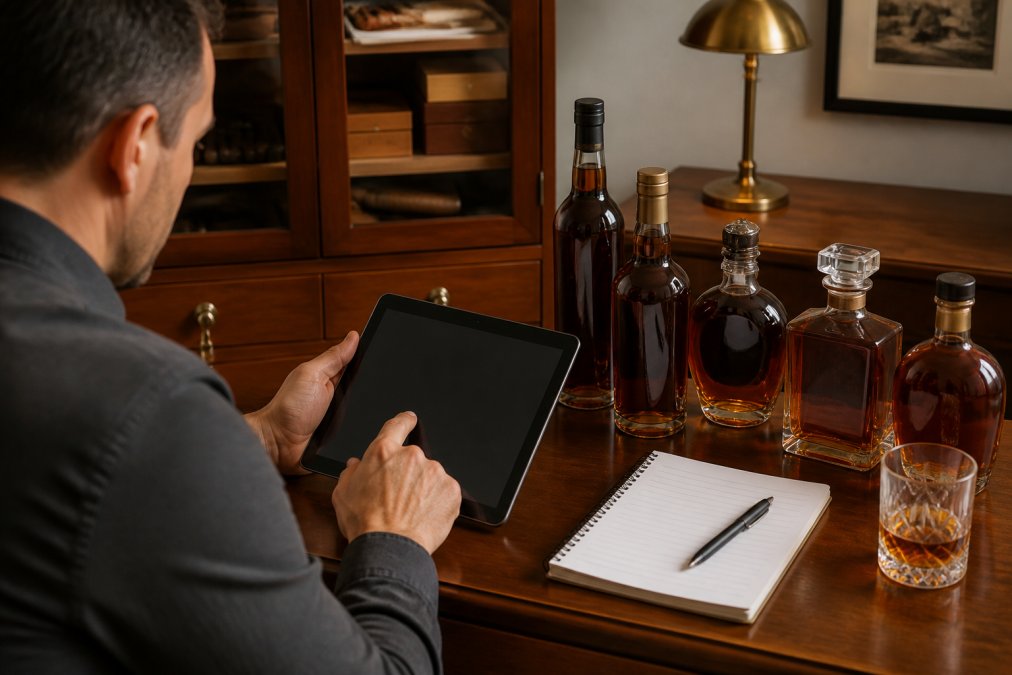
WhiskyVault offers the most direct approach: real-time estimated cellar value tracking with capital gains computation. Pour Picks tracks per-bottle purchase price and total cellar value. Neither app claims to provide authoritative secondary market pricing, but having a documented, timestamped valuation history is useful for insurance purposes.
For resale, knowing your collection's approximate value helps you decide what to sell, when, and at what floor price. Apps that track purchase price alongside estimated current value give you a rough picture of appreciation over time.
CellarTracker provides pricing data primarily for wine, with limited secondary market data for spirits.
Privacy, Data Ownership, and Cloud Backup
Your collection data, what you own, what you've spent, what you've tasted, what's on your wishlist, is genuinely personal information. An app that monetizes user data, sells aggregated collection information to third parties, or goes dark without warning takes your tasting history with it.
The Federal Trade Commission's guidance on app privacy practices makes clear that users should understand how their data is collected and used before committing to any platform. For bourbon collectors, ask three questions before you log your first bottle:
- Where is my data stored? Local device storage, iCloud sync, or proprietary cloud servers each carry different risks.
- Can I export my data? If the app shuts down or you want to switch, can you take your collection with you?
- Who can see my collection? Is your inventory private by default, or public unless you opt out?
WhiskyVault emphasizes privacy explicitly: data is stored locally with iCloud sync, keeping your collection off third-party servers. Drammer offers CSV and Excel export, making your data portable. CellarTracker has a long track record of data continuity, having operated since 2004.
Bourbon Tracker™ operates as a web-based platform with no download required, making your collection accessible from any device.
Which Bourbon Collection App Should You Choose?
The right app depends on what you actually use it for.
Choose Bourbon Tracker™ if you want a free, no-download platform that handles collection tracking, tasting notes, wishlist management, and AI-powered discovery in one place. It's the strongest option for enthusiasts who want community connection alongside their personal inventory.
Choose Pour Picks if you're on iOS and your primary concern is accurate bottle identification for rare and store-pick releases. The AI label scanning is impressive for bottles that defeat barcode databases.
Choose WhiskyVault if privacy is your top priority and you'd rather pay once than subscribe indefinitely. The local-first storage model makes it a strong option for collectors skeptical of subscription models.
Choose Drammer if you're on Android, want community features without paying anything, and have a collection that skews toward mainstream releases where barcode scanning works reliably.
Choose CellarTracker if you manage a large, diverse collection that includes wine alongside spirits and want access to the largest community review database available.
| App | Best For | Platform | Key Limitation |
|---|---|---|---|
| Bourbon Tracker™ | Free all-in-one with AI discovery | Web (any device) | No barcode scanning |
| Pour Picks | Rare bottle identification + valuation | iOS only | Subscription required for full access |
| WhiskyVault | Private cellar, one-time purchase | iOS | Free tier capped at 10 bottles |
| Drammer | Cross-platform community tracking | iOS + Android | Limited database for obscure bottles |
| CellarTracker | Large mixed collections | Web + mobile | Wine-first, bourbon features secondary |
The best bourbon collection app is the one you'll actually open every time you add a bottle or pour a dram. Friction kills logging habits faster than any missing feature. If an app takes more than 30 seconds to add a bottle, most collectors stop using it within a month.
Check the update history and community activity before investing your collection data. Apps in this category have a history of going quiet. Bourbon Tracker™'s web-based model and active community development address this directly.
Frequently Asked Questions
What is the best app to track a bourbon collection?
The best bourbon collection app depends on what you need most. Bourbon Tracker™ stands out for collectors who want a free, no-download platform with AI-powered recommendations and community features. Pour Picks and WhiskyVault are strong choices if you prioritize detailed cellar valuation and are on iOS. Drammer works well for Android users who want barcode scanning and social sharing. Evaluate based on your collection size, platform preference, and whether community or privacy matters more to you.
Can I use an app to check the market value of my bourbon?
Yes. Several bourbon collection apps now include collection valuation features that estimate the secondary market value of your bottles. WhiskyVault offers real-time estimated cellar value with capital gains tracking, while Pour Picks logs purchase price and calculates total cellar value. These tools are especially useful for insurance documentation. For the most accurate appraisal, cross-reference app estimates with current secondary market listings, since rare releases and limited batches can fluctuate significantly.
How do I track my whiskey tasting notes digitally?
Most dedicated whiskey tasting notes apps let you log nose, palate, finish, and an overall score for each bottle. Bourbon Tracker™ lets you record tasting notes directly in your browser without downloading anything. WhiskyVault provides a structured tasting notebook with fields for each sensory component. Drammer and Pour Picks also support tasting profiles. The key is choosing an app that lets you export your tasting history so your data is never locked into one platform.
Is there a free app for managing a bourbon collection?
Yes. Bourbon Tracker™ is completely free with no download required, making it accessible from any device. Drammer offers free core collection and community features with optional paid upgrades. CellarTracker has a free tier for basic bottle tracking. WhiskyVault's free version is capped at 10 bottles, and Pour Picks offers a free tier with a paid subscription for full features. Free tools vary in database depth and analytics, so check what's included before committing your collection data.
Do bourbon collection apps support barcode scanning?
Many do, but coverage varies. Drammer includes a barcode scanner with a database of around 20,000 labels, which works well for mainstream bottles but may miss niche or store-exclusive picks. Pour Picks uses AI label recognition through Claude Vision, which can identify bottles even without a standard barcode. WhiskyVault also uses AI image recognition. For collectors with rare releases or single-barrel store picks, AI scanning tends to outperform standard barcode-only lookup.
For collectors who want the simplest path to a well-organized digital cellar, the choice is clear. Managing a bourbon collection shouldn't require a spreadsheet, a backup app, and a prayer that your platform survives the year. Bourbon Tracker™ is free, requires no download, and combines collection tracking with AI-powered recommendations and community discovery in a single platform. Track My Collection and see how quickly a chaotic shelf becomes an organized, searchable inventory.
This article was written using GrandRanker